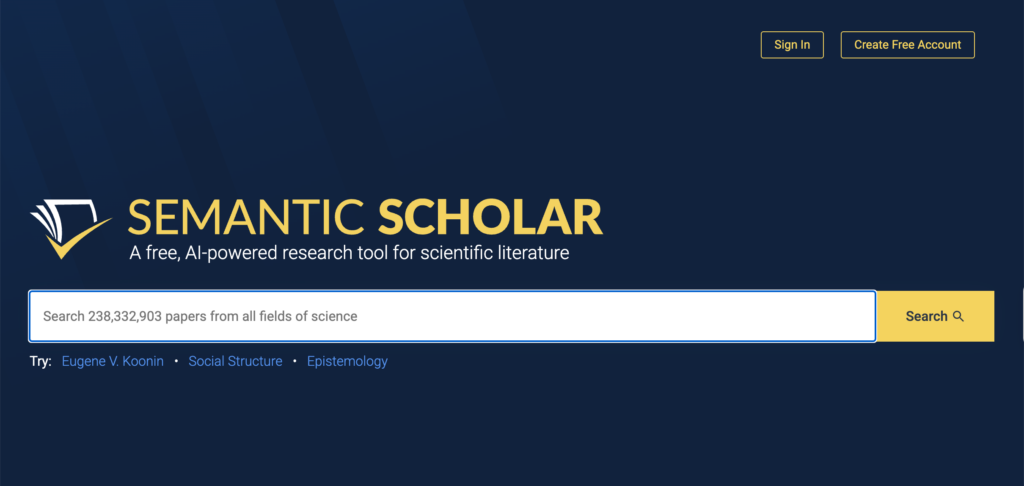
Semantic Scholar is a free academic search engine developed by the Allen Institute for AI, usually known as Ai2. This Semantic Scholar review looks at how researchers can use it to discover papers, follow citation trails, organize reading, monitor new publications, and export references into a citation manager.
The platform currently indexes more than 214 million papers across multiple disciplines. It uses machine learning to rank search results, generate short paper summaries, identify influential citations, connect related studies, and recommend new publications based on papers saved by the user.
Semantic Scholar is strongest as a discovery and citation-exploration tool. It does not provide the structured screening functions of Rayyan, the evidence tables of Elicit, or the sustained drafting support of Paperpal and Jenni AI. Its value lies in helping researchers move from a few known papers to a broader, more organized body of literature.
Main Semantic Scholar Features
Academic Paper Search
Researchers can search by topic, paper title, author, or publication venue. Results can be filtered by:
- Publication date
- Author
- Journal or conference
- Field of study
- Publication type
Results can be sorted by relevance, citation count, recency, or influential papers. Semantic Scholar’s relevance ranking considers both the query and available information about each paper. (Product)
One limitation is that Semantic Scholar does not currently support Boolean operators or wildcards. Quotation marks are supported for exact phrases. Researchers conducting a formal systematic review will therefore need databases that allow reproducible, database-specific Boolean searches.
TLDR Summaries
Some search results include a TLDR: a short, automatically generated statement summarizing the paper’s objective and main result. Semantic Scholar reports that TLDRs are available for nearly 60 million papers, with particularly strong coverage in computer science, biology, and medicine.
These summaries are useful for triage. They can help a researcher decide which abstracts to read first. A one-sentence summary cannot represent every qualification, method, or limitation in the original paper, so it should never be used as the basis for citing a study.
Citations, References, and Influential Citations
Each paper page can display the works cited by the paper and the later publications that cite it. This supports backward and forward citation searching.
Semantic Scholar also identifies some citations as highly influential. Its model considers the citation context and the relationship between the citing and cited papers. This can help researchers locate studies that substantially extend, use, or build on an earlier work.
The classification depends on access to the full text of the citing paper. Important citations may be missed when Semantic Scholar cannot analyse that text.
Citation Intent
Where sufficient full-text information is available, citations may be categorized according to their apparent purpose:
- Background: The citation provides context or explains the importance of a topic.
- Method: The citing paper uses or discusses an established procedure.
- Result extension: The later paper extends findings from earlier research.
Citation intent is helpful when tracing how a paper has influenced subsequent work. The categories are machine-generated and are unavailable for many papers, so researchers should check the surrounding citation passage before drawing conclusions.
Library and Research Feeds
A free account allows researchers to save papers in customized Library folders. Citations can be exported in bulk, folders can be shared, and public folders can be copied into another user’s library.
A Research Feed can be activated for any folder. Semantic Scholar uses the papers saved in that folder as positive signals and generates recommendations for recent publications. Marking irrelevant recommendations helps refine later results. Recommendations are refreshed daily and can be delivered by email.
Paper and Author Alerts
Researchers can follow an author to receive notifications about new papers and citations. Alerts can also be created for individual papers.
Authors can claim their profile, connect an ORCID, correct their displayed name and affiliation, add or remove publications, and monitor citations to their work. Author pages are generated automatically from public metadata, which means attribution errors can occur when researchers have similar names.
Ask This Paper and Semantic Reader
Ask This Paper provides AI-generated responses to questions about an individual study and displays supporting statements from the paper. The feature has been tested only on English-language papers and remains available for a limited selection of publications.
Semantic Reader is an augmented PDF-reading interface. It can show citation information without requiring the reader to leave the page, explain scientific terms, and use AI-generated overlays to identify a paper’s goal, methods, and results.
Its availability remains limited, with the official FAQ indicating coverage of selected arXiv papers. Semantic Reader does not currently include a built-in note-taking feature.
Citation Export and Reference Managers
The Cite button provides formatted references in APA, MLA, Chicago, and BibTeX. Researchers can also download EndNote files.
Semantic Scholar works with browser extensions such as Zotero Connector and Mendeley Web Importer. On a results page, Zotero Connector can save multiple selected papers, their metadata, available PDFs, URLs, and TLDRs.
API and Open Datasets
Researchers who need programmatic access can use the Semantic Scholar Academic Graph API. It provides information about papers, authors, citations, publication venues, and SPECTER2 embeddings.
Separate APIs support paper recommendations and dataset downloads. Downloadable Semantic Scholar Academic Graph datasets are updated monthly. API queries are subject to limits, and large projects should consult the current documentation and licence conditions before collecting data.
How to Use Semantic Scholar for Research
A productive Semantic Scholar workflow begins with a small number of relevant sources and expands through search, citations, authors, and recommendations. Suppose the research question is:
How does generative AI feedback influence revision decisions among university students?
1. Develop a Search Vocabulary
Begin with several short searches instead of relying on one long query:
- “generative AI feedback” university writing
- “AI-generated feedback” student revision
- automated feedback academic writing
- large language model feedback higher education
- feedback uptake generative AI
Semantic Scholar does not automatically expand all abbreviations and acronyms. Search both the full term and common abbreviations, such as “large language model” and “LLM.”
Record the wording that produces useful results. These terms can later be adapted for ERIC, Scopus, Web of Science, or another disciplinary database.
2. Narrow the Results Deliberately
Apply the publication-date and field filters. For a fast-moving topic such as generative AI, you might begin with research from 2022 onward.
Sort once by relevance and again by recency. Relevance may surface papers that closely match the language of the question, while recency helps locate emerging studies that have not had time to accumulate citations.
Do not immediately sort only by citation count. New research will naturally have fewer citations, and highly cited papers may reflect an earlier generation of technology.
3. Use TLDRs for Triage
Read the TLDR to decide whether the paper deserves closer attention. Then read the abstract.
For every promising paper, ask:
- Does the population match my question?
- Is this an empirical study?
- What type of AI feedback was examined?
- Does the study analyse actual revisions or only student perceptions?
- Is the full text accessible?
- Is the paper a preprint or a published article?
Save relevant papers to a folder called something precise, such as AI Feedback and Student Revision.
Avoid citing the TLDR. Its purpose is to help you choose what to read.
4. Identify Several Seed Papers
Choose approximately five papers that directly address the question and appear methodologically relevant. A useful seed set should contain more than one research design or context.
For example:
- A classroom intervention measuring changes to student drafts
- An interview study examining how students decide whether to accept feedback
- A comparison of AI and teacher feedback
- A study involving multilingual writers
- A paper examining dependence, trust, or learner agency
Save these in one Library folder. A focused folder gives the recommendation system clearer signals than a folder containing loosely related papers from several projects.
5. Follow References Backward
Open each seed paper’s reference list to locate earlier research on automated writing evaluation, feedback literacy, revision, and student uptake.
This backward search is especially important for a new topic. Recent papers may use current terminology, while their theoretical foundations were published before generative AI became common.
Look for sources that repeatedly appear across several reference lists. Repetition can indicate an influential framework or widely used method. It is a signal to investigate, not automatic proof of quality.
6. Follow Citations Forward
Next, examine the papers that cite each seed study. Sort citing papers by recency and inspect influential citations where available.
Forward searching can reveal:
- Replications
- Critiques
- New populations
- Adaptations of a method
- Contradictory results
- Later systematic reviews
Use citation intent to distinguish papers that merely mention a study from those that apply its method or extend its results. Always read the actual citation passage before recording that relationship.
7. Explore Authors and Research Groups
Open the author profiles of researchers who appear repeatedly. Review their recent publications, co-authors, and citation connections.
Following an author can be useful when a research group publishes several related studies. It can also reveal a sequence of projects that would be difficult to identify through keyword searching alone.
Check author identity carefully. Automated disambiguation can assign a publication to the wrong profile, particularly when names are common or affiliations have changed.
8. Train a Research Feed
Activate the Research Feed attached to the project folder. Add relevant recommendations and mark poor matches as not relevant.
The system recommends papers published within the previous three months, making the feed useful for an ongoing dissertation, manuscript, or research programme.
Review the feed periodically instead of saving every suggestion. Recommendation systems tend to reproduce the themes, authors, and publication patterns found in the seed set. This can create a narrow loop if the starting collection lacks methodological, geographic, linguistic, or theoretical diversity.
9. Export Verified Papers to Zotero
Once a paper has been checked, export it to Zotero, EndNote, or another reference manager.
Confirm:
- Author names
- Publication year
- Article title
- Journal or conference
- Volume and issue
- Page range
- DOI
- Publication status
Preprints and published versions may appear as separate records or become difficult to distinguish. Keep the version you intend to cite and note whether it has been peer reviewed.
Use Semantic Scholar’s Library as a discovery workspace and Zotero as the long-term location for PDFs, annotations, tags, and citations.
10. Build an Evidence Matrix Outside the Platform
Semantic Scholar does not provide a full evidence-extraction environment. Create a spreadsheet or research table containing:
| Study | Population | Context | Method | AI feedback type | Revision measure | Main finding | Limitation |
|---|
Complete the table from the paper itself. TLDRs, Ask This Paper, and citation labels can help you find information, but they should not become the evidence record.
11. Supplement the Search
For a narrative review, Semantic Scholar can be an excellent source-discovery tool. For a systematic or scoping review, use it as a supplementary database or citation-searching resource.
Formal reviews still need:
- A documented protocol
- Reproducible database searches
- Complete search strings
- Deduplication
- Independent screening
- Quality or risk-of-bias appraisal
- Transparent inclusion decisions
- A record of search dates
The absence of Boolean operators makes Semantic Scholar unsuitable as the sole database for most systematic searches.
Semantic Scholar Pricing and Availability
Semantic Scholar is free to search. An account is also free and unlocks the Library, Research Feeds, alerts, shared folders, and author-profile management.
No paid individual plan is currently listed. The Academic Graph API and datasets are also available for research and development, subject to rate limits, documentation requirements, and the Semantic Scholar API licence.
Access to a full paper depends on the publisher and the researcher’s institutional subscriptions. Semantic Scholar links to open PDFs where available and works with GetFTR and LibKey to identify institutional access. It does not remove publisher paywalls.
Semantic Scholar Compared with Other Research Tools
| Tool | Best use | Main distinction |
|---|---|---|
| Semantic Scholar | Free academic search, citation tracing, recommendations, and alerts | Strong discovery features without a paid individual plan |
| Google Scholar | Broad searching across articles, books, theses, and repositories | Wider source types but fewer structured AI features |
| ResearchRabbit | Visual exploration of paper and author networks | Better for interactive network maps |
| Connected Papers | Finding related work around a seed paper | More focused on visual similarity graphs |
| Elicit | Research questions, screening, and structured extraction | Better for building evidence tables |
| Scite | Examining how papers are cited | Provides more detailed supporting and contrasting citation contexts |
| Zotero | PDF storage, annotation, and citation management | Better as a permanent research library |
Limitations, Privacy, and Responsible Use
Semantic Scholar’s coverage is extensive but uneven. Its FAQ notes that books receive very limited coverage and patents are excluded. Citation counts may therefore differ from Google Scholar, Scopus, or Web of Science.
Automated summaries, author disambiguation, citation intent, and influential-citation labels can all contain errors. None of these features evaluates a paper’s methodological quality. A highly cited or influential publication may still have serious weaknesses.
Ai2’s privacy policy states that it collects account information, device and usage data, search activity, saved papers, and information connected to alerts and personalization. Public author metadata is collected from publishers and other public sources. Library folders are private by default but become visible to anyone with the link if the user makes them public.
Semantic Scholar is primarily a search platform, so the privacy risks are lower than with tools that require researchers to upload entire unpublished manuscripts. Even so, researchers should avoid putting confidential project information into public folder names or descriptions.
Final Assessment
Semantic Scholar is one of the more useful free tools for moving from a known paper to a wider collection of related research. Its citation graph, influential-citation labels, Library folders, Research Feeds, author alerts, and citation exports make it practical for literature discovery and ongoing monitoring.
Its limits are equally clear. It does not provide a complete systematic-review workflow, a full reference-management environment, or a reliable substitute for reading the original studies. Used alongside disciplinary databases and Zotero, however, it can strengthen the discovery stage of a research project and make citation searching far more manageable.
Sources
- Semantic Scholar
- Semantic Scholar Product Overview
- Semantic Scholar FAQ
- Semantic Scholar Library
- Semantic Scholar Research Feeds
- Semantic Reader
- TLDR Feature
- Academic Graph API
- API Documentation
- Ai2 Privacy Policy