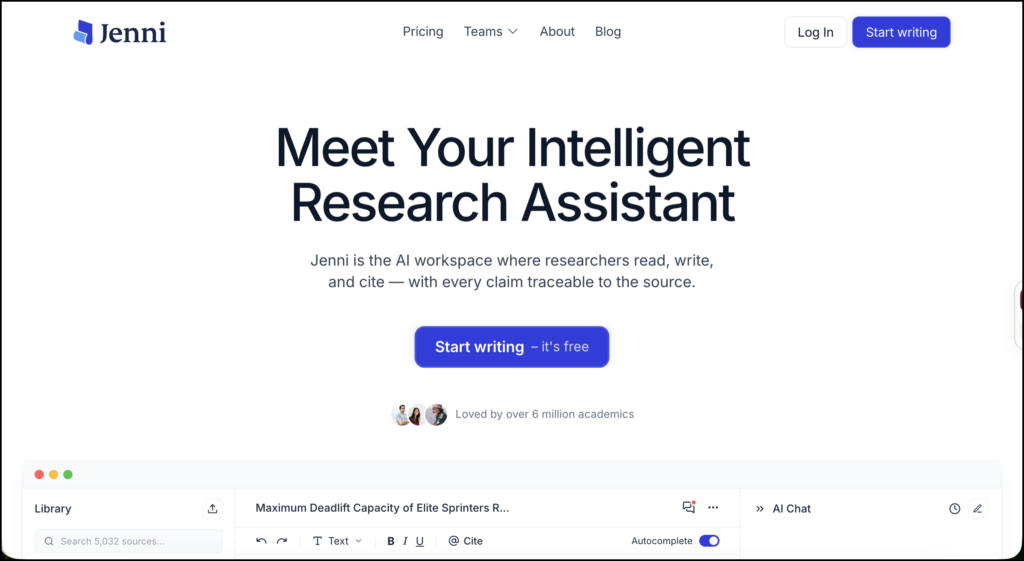
Jenni AI is an academic writing workspace designed to help students and researchers plan, draft, revise, and cite their work. It combines a document editor with AI autocomplete, research chat, source management, citation tools, and several types of document review.
Its strongest use is not finding every relevant study or evaluating an entire body of evidence. Tools such as Elicit, Scite, and ResearchRabbit are better suited to those jobs. Jenni is most useful once you have a research question, a working collection of sources, and an argument you want to develop.
The platform can draw on your document, uploaded PDFs, library sources, and web results when answering questions. It also connects with Zotero and Mendeley, making it easier to bring an existing reference library into the writing environment.
Jenni AI Features
AI Autocomplete
Autocomplete suggests the next sentence or passage as you write. You can accept a suggestion, reject it, or continue writing in your own words.
This can be helpful when you know what you want to say but are struggling with the transition between two ideas. It can also suggest possible ways to open a section, explain a term, or connect a finding to the wider argument.
The danger is that smooth prose can create the impression of sound reasoning. A generated sentence may read well while overstating a source or introducing an assumption that has not been supported. I would therefore treat autocomplete as a drafting prompt, not as an authority.
AI Chat
Jenni’s chat works alongside the document editor. You can give it access to your current draft, selected library sources, uploaded PDFs, or web search. It can summarize a paper, compare studies, suggest revisions, and return answers with source attribution.
Researchers can control which materials the chat uses by adding individual sources, collections, or the current document as context. Web and library searching can also be turned on, off, or set to ask first.
Research Library and PDF Support
You can upload PDFs or import references from Zotero, Mendeley, BibTeX, RIS files, and DOIs. Zotero imports can include group libraries and attached PDFs.
The free plan currently allows up to 10 PDF uploads, with a maximum of 25 MB and 150 pages per file. Plus and Pro allow unlimited uploads. Their file-size limit is 100 MB, while the page limits rise to 500 pages on Plus and 1,000 pages on Pro.
Citations and Bibliographies
Jenni supports more than 10,000 citation styles. Citations can be inserted while writing, and the platform can generate a bibliography based on the references used in the document.
It can also import and export BibTeX data. This is particularly useful for researchers who write in LaTeX or maintain their main reference collection in Zotero or another citation manager.
The citation feature saves time, but every reference still needs to be checked. Verify the authors, title, journal, year, DOI, page numbers, and the specific claim being attributed to the source.
Document Reviews
Jenni provides several document-level reviews:
- Proofread identifies possible grammar and style problems.
- Claim Confidence flags factual statements that may need stronger support.
- Source Quality looks for potential weaknesses in cited sources.
- Tone of Voice examines stylistic consistency.
- Peer Review produces reviewer-style feedback on a manuscript.
The feedback appears as suggestions that you can inspect individually. These reviews can reveal questions worth investigating, but they do not replace a supervisor, editor, methodologist, or journal reviewer.
Import, Export, and Collaboration
Jenni can import Word documents while preserving most formatting, including headings, lists, tables, images, hyperlinks, equations, and citations. Page breaks, headers, footers, and tracked changes are not imported.
Completed work can be exported to Word or LaTeX. Rich text can also be copied into another editor. Documents may be shared for real-time collaboration, and version history records changes automatically on all plans.
How to Use Jenni AI for Research
The most reliable way to use Jenni is to place it inside a research process you already control. Here is a practical workflow.
1. Begin with a Focused Research Question
Do not start by asking Jenni to “write a literature review.” Define the topic, population, setting, and central problem first.
Suppose your question is:
How does AI-generated feedback influence revision decisions among undergraduate second-language writers?
Create a short project brief containing:
- The research question
- Inclusion and exclusion criteria
- Key concepts and alternative terms
- The period you are studying
- The types of evidence you will accept
This gives the AI clearer boundaries and gives you a standard against which to judge its suggestions.
2. Build Your Source Collection Elsewhere First
Use academic databases, library search tools, and specialist discovery platforms to find your core literature. If you already work in Zotero or Mendeley, organize the relevant studies into a dedicated collection and import that collection into Jenni.
Before drafting, check for duplicate references, incomplete metadata, retracted studies, and papers you have not actually read. Jenni can make sources easier to use, but it cannot decide whether your search was comprehensive.
3. Use PDFs for Structured Reading
Upload the studies that matter most and question them one at a time. Useful prompts include:
- What population was studied?
- How was revision quality measured?
- What limitations did the authors acknowledge?
- Which findings relate directly to learner agency?
- Where in the paper is this claim supported?
Record the answers in your own evidence table. Include columns for method, sample, context, findings, limitations, and page references.
The page-reference step matters. A summary without a location in the source is harder to audit later.
4. Develop an Evidence-Based Outline
Create the outline yourself, then ask Jenni to challenge it. For the example above, the main sections might cover:
- Types of automated feedback
- Student uptake of feedback
- Effects on revision quality
- Learner agency and dependence
- Differences between first- and second-language writers
- Gaps in current research
Ask Jenni whether two sections overlap, whether a claim lacks evidence, or whether the order of the argument is confusing. These are more useful requests than asking it to generate an entire outline from a broad topic.
5. Draft One Claim at a Time
Write the controlling sentence of each paragraph yourself. Add the evidence you intend to use, and then use autocomplete or AI Chat to explore transitions and alternative formulations.
A sound synthesis paragraph should normally do more than summarize papers in sequence. It should identify a pattern, disagreement, methodological difference, or unresolved question.
For example, you could ask:
Using only the four attached studies, compare how the researchers measured student uptake of feedback. Do not draft the paragraph. Give me the main similarities, differences, and relevant page locations.
You can then write the synthesis in your own voice.
6. Keep Citations Tied to Specific Claims
Insert a citation as soon as you make a source-dependent claim. Do not wait until the paper is complete and ask the system to supply references retrospectively.
Open every suggested source before using it. Confirm that the paper exists, that you can access the relevant passage, and that the finding has not been stripped of important qualifications.
If Jenni identifies a paper through web search, move it into your normal verification process before citing it. Discovery and verification are separate tasks.
7. Run Reviews as Diagnostic Checks
Use Claim Confidence to locate statements that may need evidence. Use Source Quality to identify references worth examining more closely. Run Proofread after the argument is stable, since there is little value in polishing paragraphs that may be removed.
Peer Review can help you prepare for supervision meetings or anticipate reviewer questions. Ask yourself which comments reveal a genuine weakness and which are generic. An automated review has no knowledge of a journal editor’s priorities or the unwritten expectations of your discipline.
8. Export and Conduct a Manual Audit
Export the document to Word or LaTeX and complete a final audit:
- Match every in-text citation to the bibliography.
- Check quotations and page numbers.
- Confirm DOI and publication details.
- Review tables, equations, headings, and formatting.
- Revisit the original PDFs for important claims.
- Remove generated wording you cannot defend.
- Follow your institution’s AI disclosure policy.
Keep earlier drafts and notes. They provide a useful record of how the argument developed and help demonstrate your intellectual contribution.
Jenni AI Pricing
As of September 2026, Jenni offers three individual plans:
| Plan | Current monthly price | Main limits |
|---|---|---|
| Free | $0 | 10 autocompletes per day, 5 chat messages, 10 PDF uploads, limited reviews and workflows |
| Plus | $12 | 5,000 autocompletes, 500 chat messages, 500 edits, 10 reviews and 10 workflows per month |
| Pro | $29 | Unlimited autocomplete, chat, edits, reviews, workflows, and PDF uploads |
Annual billing is discounted, and local pricing may appear inside the application. The public pricing page and documentation currently disagree slightly about the number of free AI edits, so check the allowance displayed in your account before choosing a plan.
How Jenni AI Compares with Other Research Tools
| Tool | Best suited for | Main limitation |
|---|---|---|
| Jenni AI | Source-supported drafting, revision, and citations | Not a substitute for a systematic literature search |
| Elicit | Literature screening and evidence tables | Less focused on sustained academic drafting |
| Scite | Examining how studies are cited | Not a complete writing environment |
| SciSpace | Reading papers and extracting information from PDFs | Extracted answers still require source checking |
| ResearchRabbit | Exploring authors, papers, and citation networks | Limited drafting and manuscript support |
| Zotero | Reference storage, annotation, and bibliography management | Does not provide the same integrated drafting assistance |
Jenni makes the most sense alongside a discovery tool and a dedicated reference manager. Researchers conducting systematic or scoping reviews will still need appropriate databases, a documented search strategy, screening procedures, and transparent inclusion decisions.
Privacy and Academic Integrity
Jenni states that it does not use drafts, prompts, or outputs to train its models and does not sell document content for advertising. However, relevant text may be sent to third-party model providers when an AI feature is used.
Avoid uploading confidential participant data, identifiable student work, embargoed findings, unpublished peer-review manuscripts, or sensitive institutional documents unless you have permission and your organization has approved the platform.
Researchers should also consult course, university, funder, and journal policies. Citation assistance does not make generated prose your own scholarship. You remain responsible for the argument, interpretation, references, and disclosure of AI assistance.
Final Thoughts
Jenni AI is most useful during the move from reading to writing. Its combination of PDF context, source imports, citations, autocomplete, and document reviews can reduce some of the friction involved in developing a research paper.
Its value depends on how it is used. Letting it draft large sections from a vague instruction can weaken authorship and conceal gaps in the evidence. Using it to interrogate selected sources, test an outline, inspect claims, and improve a draft is a more defensible approach.
Sources
- Jenni AI
- Jenni AI Documentation
- Plans and Billing
- Pricing
- AI Chat
- Reviews
- Research Library
- Citation Management
- Exporting
- Privacy