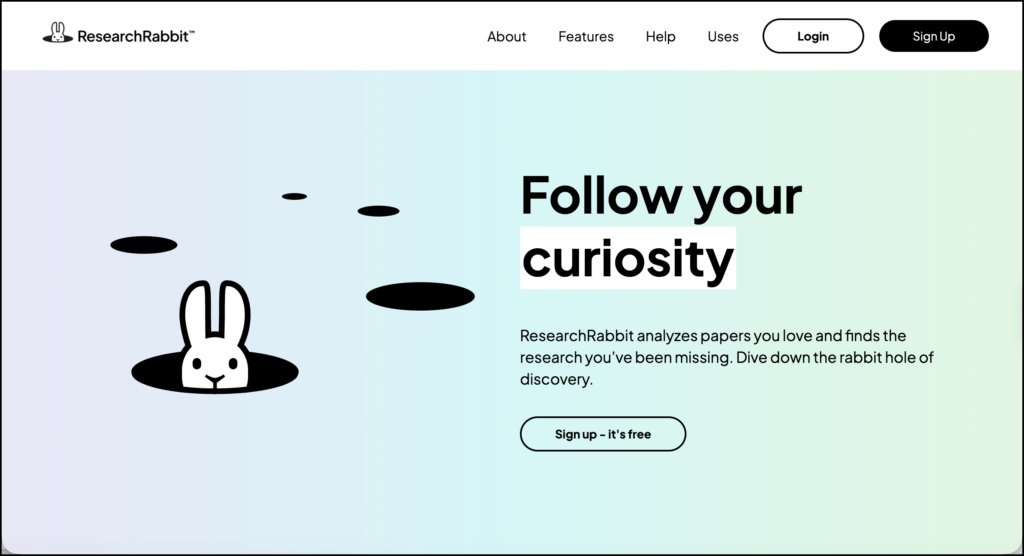
ResearchRabbit is a literature discovery and citation-mapping tool. It helps researchers find papers by following the relationships among publications, references, citations, and authors. Instead of returning another long list of keyword matches, it presents much of the literature as an interactive network.
This ResearchRabbit review focuses on how the platform fits into an actual research workflow. Its strongest role is source discovery, particularly citation chasing and finding studies related to a small set of papers you already trust. It also provides collections, notes, collaboration, alerts, and reference-manager imports.
ResearchRabbit is not designed to read papers for you, extract findings into an evidence table, or write a literature review. That narrower focus is part of its appeal. It helps answer a difficult research question: “What relevant work might I still be missing?”
What Is ResearchRabbit?
ResearchRabbit searches a database of more than 310 million articles. Researchers begin with one or more “seed papers.” The platform then examines connections around those papers and recommends related work.
A seed paper is simply a publication used as the starting point for a search. It might be an influential article, a recent systematic review, or a study closely aligned with your research question.
From that starting point, ResearchRabbit can display:
- References cited by the seed paper
- Later papers that cite it
- Similar publications
- Related authors
- Connections among papers in a collection
- Changes in a topic over time
The free plan supports searches using as many as 50 seed articles. ResearchRabbit+ increases this to 300 and adds advanced filters and multiple projects.
Main ResearchRabbit Features
Citation maps
Citation maps are the central feature. Each paper appears as a node, while lines represent relationships among papers. You can select a publication and move backward to its references or forward to newer work that cites it.
This visual approach can reveal clusters that are difficult to notice in a conventional results list. Several papers may gather around a particular theory, research group, method, or debate. An isolated paper may lead into a smaller body of work that your original keywords failed to retrieve.
The map does not tell you whether a study is good. A paper can be prominent because it is influential, heavily criticized, or simply older than the work around it. The map shows relationships; researchers must interpret what those relationships mean.
Similar papers and recommendations
ResearchRabbit recommends papers related to the publications you save and explore. The company states that its recommendations adapt to researchers’ interests and activity over time.
This iterative search process is useful when a field uses inconsistent terminology. A keyword search can miss a study whose title and abstract use different language. Citation relationships can sometimes reach it through papers already known to be relevant.
Recommendations also introduce a risk of narrowing. If the initial seed papers all come from the same theory, country, discipline, or research group, subsequent recommendations may reproduce that starting point. Seed selection therefore deserves more thought than simply choosing the first paper found.
Collections and subcollections
Papers can be saved to collections and subcollections. A researcher might create separate collections for theoretical papers, empirical studies, review articles, methodological sources, and excluded publications.
Collections can include notes, colours, and stickers. These lightweight organizational tools are useful during discovery, although a dedicated reference manager remains a better permanent home for citations and attached files.
Collaboration and sharing
ResearchRabbit collections can be shared with collaborators or made accessible through a public link. Shared collections are available on the free plan.
Collections can also be exported in BibTeX, RIS, or CSV format for use in Zotero, EndNote, Mendeley, or a spreadsheet.
For a research team, a shared collection can act as a discovery space. Team members can add promising studies and discuss whether they should move into the formal review library.
Zotero and reference-manager imports
ResearchRabbit can import existing collections from Zotero. It also supports imports from Mendeley, EndNote, Paperpile, and compatible files.
The current Zotero connection is mainly an importer. To return discoveries to Zotero, researchers export them from ResearchRabbit and import the resulting BibTeX file. Official documentation says that two-way synchronization is being developed, but it is not yet described as an available feature.
This distinction matters. Researchers should decide which platform holds the authoritative version of their library. I would keep the main reference collection in Zotero and use ResearchRabbit as the discovery and mapping layer.
Research alerts
ResearchRabbit can help researchers follow developments connected to their collections. This is useful after the main literature search, when new papers may appear while a dissertation, article, or evidence review is being written.
The paid plan also includes Signals alerts intended to flag research-integrity concerns. ResearchRabbit+ filters can identify retractions and allow researchers to include or examine retracted literature deliberately.
A retraction alert is useful, but it does not replace critical appraisal. A paper that has not been retracted may still have weak methods, undisclosed limitations, or findings that do not apply to your research context.
Advanced filters
ResearchRabbit+ adds filters for:
- Keywords and phrases
- Publication dates
- Journal quartiles
- Journal h-index
- Open-access availability
- Retractions
These controls make it easier to isolate foundational studies, locate recent publications, or reduce the influence of a dominant topic on the recommendations.
Journal-level metrics should be used carefully. A journal quartile or h-index says little about the quality of a specific study. Methodology, evidence, transparency, and relevance still need to be evaluated at the article level.
How to Use ResearchRabbit for Research
ResearchRabbit is most useful when it complements a documented database search. The following workflow keeps discovery broad while preserving a clear audit trail.
1. Define the research question and boundaries
Start with a focused question before building a citation map. For example:
How does generative AI-supported feedback influence feedback literacy among university students?
Clarify the population, context, phenomenon, outcomes, and date range where appropriate. Write provisional inclusion and exclusion criteria.
This keeps the visual exploration tied to the actual review. Without boundaries, it is easy to follow interesting connections that have little bearing on the question.
2. Find a varied set of seed papers
Choose between three and ten strong starting papers. Include different types of sources when possible:
- A recent systematic or scoping review
- One or two foundational studies
- Recent empirical research
- Papers using different methods
- Studies representing different disciplines or regions
Do not build the first map around papers that all cite one another or come from the same research group. A varied seed set gives the recommendation system several pathways into the literature.
Seed papers should be checked before they are added. Confirm that each one is genuinely relevant and that its bibliographic information is correct.
3. Create a collection for the project
Give the collection a name tied to the review question. Avoid a broad label such as “AI Research.” A more useful name would be “Generative AI and Student Feedback Literacy.”
Create subcollections such as:
- Seed papers
- Possible empirical studies
- Reviews and syntheses
- Theoretical sources
- Methods papers
- Excluded after examination
At this stage, “saved” should mean potentially useful, not formally included.
4. Run backward citation searches
Select a seed paper and examine its references. This is backward citation searching: moving from the paper to earlier work it cited.
Look for references that appear across several seed papers. Repeatedly cited work may represent a common theory, instrument, or foundational study. It may also reveal assumptions that later papers have inherited without re-examining.
Add promising references to the appropriate collection. Record why each one matters. A short note such as “original feedback literacy framework” is more useful than saving the paper without context.
5. Run forward citation searches
Next, examine papers that cite the seed study. Forward citation searching helps locate newer work that applied, challenged, replicated, or extended it.
Pay attention to:
- Recent replications
- Studies using the same instrument
- Critical responses
- Applications in new populations
- Papers reporting different findings
This step is particularly useful when the seed paper is several years old. Its reference list shows what came before; forward citation searching reveals what happened afterward.
6. Explore similar papers carefully
Open the similar-work recommendations and screen titles and abstracts. Save relevant papers, then rerun the search using the stronger additions as new seeds.
Proceed in small rounds. If dozens of papers are added indiscriminately, the recommendations can drift away from the research question.
A simple rule is to add a paper only when you can state why it belongs in the map. If that reason cannot be expressed in one sentence, leave it in a temporary collection until it has been examined.
7. Read the map for patterns
Once the collection has grown, step back from individual papers and examine the network.
Look for:
- Dense clusters around particular theories or methods
- Authors who connect otherwise separate clusters
- Older papers supporting several branches of later research
- Recent clusters with limited connection to earlier work
- Papers that sit outside the dominant network
- Groups divided by discipline, geography, or terminology
Treat these patterns as questions, not findings. An isolated cluster does not automatically prove a research gap. It may reflect incomplete metadata, a different citation culture, limited database coverage, or a genuinely separate line of research.
To validate a possible gap, return to databases, read the relevant papers, and search the topic directly.
8. Check author networks without equating prominence with quality
Author maps can help identify major research groups and collaborations. They may also reveal that what initially seemed like several independent studies came from one connected team.
This matters during evidence evaluation. Ten publications from the same research group do not provide the same breadth of evidence as ten independent studies conducted across different settings.
Author prominence should not determine inclusion. Early-career researchers, scholars publishing in less-indexed journals, and researchers outside dominant academic networks may appear less visible in citation maps.
9. Cross-check the map against database searches
Run conventional keyword and subject-heading searches in the databases relevant to your field. Compare those results with the ResearchRabbit collection.
Ask:
- Which database papers are missing from the map?
- Which mapped papers were not retrieved by the database query?
- Are particular countries, languages, journals, or methods absent?
- Did the seed papers pull the map toward one theoretical tradition?
Revise the database query and seed set in response. This back-and-forth process is more reliable than treating either approach as complete.
For a formal systematic review, document ResearchRabbit as a supplementary citation-searching method. Record the seed papers, search date, features used, and criteria for adding studies.
10. Transfer included papers to the main reference library
Export relevant papers in BibTeX or RIS format and import them into Zotero, EndNote, or Mendeley. Check the metadata after import.
Add full texts, tags, notes, screening decisions, and exclusion reasons in the reference-management or review system used by the project. ResearchRabbit should not become the only record of why a paper was included.
11. Use shared collections for team discovery
Create a shared collection where collaborators can add candidates. Agree on a simple notation:
- Green: likely relevant
- Yellow: requires full-text review
- Red: excluded
- Note: reason for the decision
For a formal review, the final screening decisions should still be recorded in the project’s systematic-review software or audit log. A shared discovery map is useful for conversation, but it is not a substitute for independent screening when the methodology requires it.
12. Revisit the map during writing
Return to the collection when drafting the literature review. The map can help you check whether the argument concentrates too heavily on one cluster or overlooks a connected body of research.
Use it to locate sources, then read and cite the original publications. Do not interpret a line between two papers as evidence that their findings agree. The line usually represents a citation or another bibliographic relationship.
ResearchRabbit Pricing
ResearchRabbit has a substantial free plan and a paid ResearchRabbit+ plan.
| Plan | Current price | Main inclusions |
|---|---|---|
| Free | $0 | Unlimited searches across 310+ million articles, unlimited collections, collaboration, and up to 50 seed papers |
| ResearchRabbit+ annual | US$120 per year | Up to 300 seed papers, advanced filters, multiple projects, Signals alerts, and faster support |
| ResearchRabbit+ monthly | US$12.50 per month | Same paid features with monthly billing |
| Institution | Custom pricing | RR+ features, volume discounts, LibKey integration, administration, usage statistics, and dedicated support |
The pricing page also expresses the annual option as US$10 per month when billed annually. Country-based discounts are available in more than 100 countries. Canada falls within the default pricing group.
For many individual researchers, the free plan is sufficient. The paid plan makes more sense for a large review, several simultaneous projects, or searches requiring finer control.
ResearchRabbit Compared with Other Research Tools
| Tool | Best use | What it does particularly well | What it does not replace |
|---|---|---|---|
| ResearchRabbit | Citation discovery and literature mapping | Visualizes connections among papers and authors | Full-text analysis and evidence extraction |
| Litmaps | Citation mapping and literature monitoring | Builds visual maps and tracks new papers | Critical appraisal of individual studies |
| Elicit | Screening and structured evidence extraction | Compares studies in evidence tables | Comprehensive discipline-specific database searching |
| SciSpace | PDF reading, data extraction, and writing support | Connects discovery with paper analysis | Researcher verification and methodological decisions |
| Zotero | Reference management and citation insertion | Maintains a long-term research library | Algorithmic literature discovery |
A practical combination would be ResearchRabbit for discovery, Zotero for permanent reference management, and a spreadsheet or review platform for screening and evidence extraction.
Privacy, Verification, and Responsible Use
ResearchRabbit states that it does not sell or expose users’ articles and notes to third parties and does not use them to train AI models. It stores articles and notes to provide the service and collects analytics about product use. Researchers working with sensitive projects should still consult the complete privacy policy and follow their institution’s data requirements.
The larger caution concerns coverage. Citation maps depend on available bibliographic and citation data. Missing links may reflect missing metadata rather than an actual absence of research.
ResearchRabbit recommendations can widen a search, but they are shaped by the seed papers and by prior activity. Researchers should deliberately vary the starting set, run conventional searches, and examine literature outside the most visible citation networks.
Final Assessment
ResearchRabbit is a focused tool with a clear purpose. It is particularly useful when you have found several relevant papers and need to understand what surrounds them: earlier foundations, later developments, connected authors, and neighbouring lines of research.
Its maps support exploration and help researchers see a literature as a network instead of a stack of unrelated PDFs. Those maps still need interpretation. They cannot decide whether a paper is methodologically sound, whether two findings agree, or whether a visible gap is real.
I would use ResearchRabbit as a supplementary discovery tool throughout a literature review. It belongs beside database searches and a reference manager, with the researcher retaining control over inclusion, evaluation, synthesis, and citation.
Sources
- ResearchRabbit official website
- ResearchRabbit features
- ResearchRabbit pricing
- ResearchRabbit free plan
- ResearchRabbit+ guide
- Zotero Importer
- Sharing and exporting collections
- ResearchRabbit data responsibility statement
- ResearchRabbit privacy policy
- ResearchRabbit country pricing