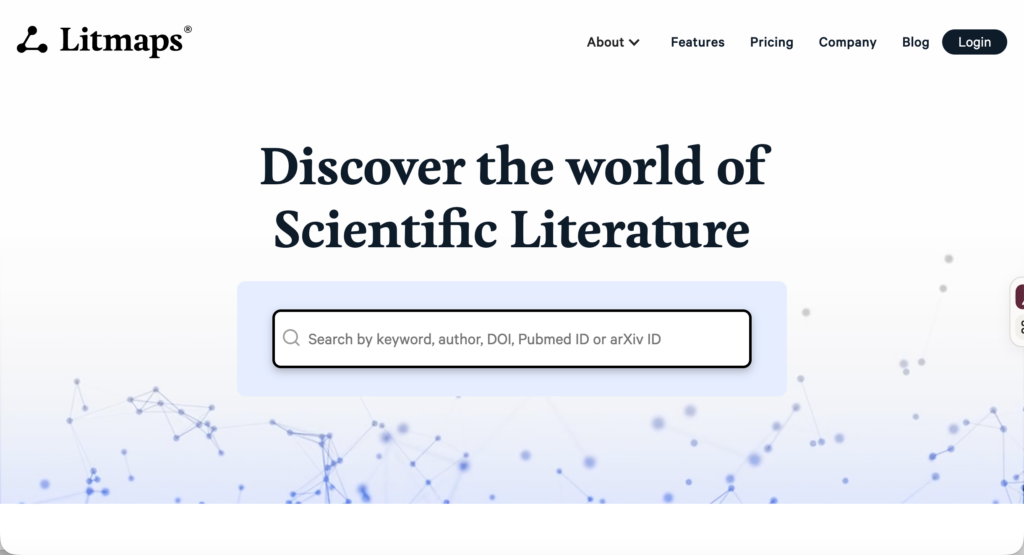
Litmaps is a literature discovery and citation-mapping platform. It helps researchers locate papers by examining how publications cite one another and then presents those relationships as a visual map.
This Litmaps review focuses on its place within a real research workflow. Litmaps is particularly useful for citation chasing, exploring the development of a field, locating related studies that use different terminology, and monitoring a topic for newly published work.
It does not read and evaluate papers on your behalf. Nor does it replace subject databases, critical appraisal, or a reference manager. Its main contribution comes at the discovery stage, where it can show how a group of papers connects and point you toward publications that a conventional keyword search may have missed.
What Is Litmaps?
A Litmap is a visual network of academic publications. Each paper appears as a point on the map, while lines represent citation relationships. Researchers can begin with a topic, a known paper, or an existing reference library.
The platform searches a catalogue of more than 270 million research papers. Its metadata comes from sources including Crossref, Semantic Scholar, and OpenAlex. Litmaps itself notes that its catalogue still contains gaps because some publications are not adequately represented in open academic metadata repositories.
Litmaps is available through a web browser. It has a free plan, a paid Pro plan, team licensing, educational discounts, and institutional options.
Main Litmaps Features
Citation maps
Litmaps uses references and citations to display how publications are connected. Starting papers appear as darker points, while recommended papers appear separately until they are added to the map.
The visualization can be adjusted to examine different aspects of a collection. Depending on how the map is configured, researchers can observe publication dates, citation patterns, clusters, and relative relationships among articles.
A dense cluster may represent a well-developed research area, a common method, or a group of authors who frequently cite one another. A disconnected paper may use different terminology or come from another discipline. These patterns are useful leads, but the map alone cannot explain why they exist.
Search based on multiple papers
Litmaps can use several papers as inputs to a search. This differs from entering one keyword string and receiving results based primarily on matching language.
Researchers can select relevant starting articles and ask Litmaps to explore related publications. When a useful recommendation appears, the “More Like This” option adds it to the Litmap and incorporates it into the next round of discovery.
The free plan currently supports up to 20 search inputs. Pro removes this limit.
Different discovery algorithms
Litmaps allows researchers to change the algorithm used to find papers. Citation-based discovery looks for bibliographic connections around the starting set. A Similar Text option can locate papers with related titles and abstracts even when they are not connected through citations.
This is useful because citation searching and text searching have different weaknesses. A newly published paper may be too recent to have accumulated citations. Work from another discipline may discuss the same problem using unfamiliar references. Switching the discovery method can bring some of this disconnected literature into view.
Advanced filters
Pro subscribers can filter results by:
- Publication date
- Keywords
- Author
- Journal title
- Journal h-index
- Journal SJR quartile
These filters can help separate foundational publications from recent work or focus a search on a particular author, journal, or period.
Journal metrics should not be treated as quality ratings for individual studies. A Q1 journal can publish a weak paper, while useful research may appear in a newer or less visible journal. Article-level appraisal still matters.
Tags and research organization
Papers can be organized with tags. Researchers might create tags for included studies, possible studies, theoretical sources, methodological papers, or different themes within a review.
Tags are also used in the Zotero integration. A Litmaps tag can be connected to an existing Zotero collection, allowing changes to move between the two platforms.
Zotero Sync
Zotero Sync is available on the Pro plan. Adding or removing an article from a synchronized Litmaps tag updates the connected Zotero collection. Changes made in Zotero are reflected in Litmaps as well.
The integration synchronizes article records and metadata. It does not synchronize Zotero notes or attached PDF files. Renaming a Zotero collection or Litmaps tag is also outside the current synchronization process.
Researchers who use another reference manager can import BibTeX, RIS, or PubMed files and export discoveries in BibTeX, RIS, or CSV format. This involves manual transfer, but it allows Litmaps to work with Mendeley, EndNote, Paperpile, and similar tools.
Monitor alerts
Monitor reruns a saved search and emails the researcher when new related articles are found. Free users can enable monitoring with the default settings. Pro users can customize the search frequency, algorithm, date range, keywords, and other filters.
The current documentation states that alerts can be scheduled weekly or monthly. The pricing page also refers to configurable or more frequent alerts on paid plans.
This feature is useful for dissertations, long-term research projects, and reviews that need to be updated before submission.
Sharing and collaboration
Litmaps can be shared with supervisors, students, colleagues, and research teams. Team plans provide shared Pro access and team-wide collaboration.
A map can also function as a discussion aid. Instead of sending a list of citations, a researcher can show how foundational studies, recent publications, and separate clusters fit together.
Full-text access
Litmaps mainly works with publication metadata and citation information. Open-access PDFs can be opened when they are available. Researchers at participating institutions can connect through LibKey to access resources covered by their library subscriptions.
Locating a paper in Litmaps does not guarantee full-text access. Access still depends on open-access availability, institutional subscriptions, publisher permissions, or an author-supplied copy.
How to Use Litmaps for Research
Litmaps works best as one part of a broader search strategy. The following workflow uses it to extend and check a literature search without treating the map as a complete review.
1. Define the question before building the map
Begin with a clear research question. For example:
How does AI-generated feedback affect revision decisions among undergraduate writers?
Identify the main concepts:
- AI-generated feedback
- Revision decisions
- Undergraduate writers
- Higher education
Write provisional inclusion criteria before searching. You might include empirical studies involving undergraduate students and exclude papers concerned solely with automated grading.
These boundaries help you decide which recommendations belong in the map.
2. Find several starting papers
Begin with a varied set of credible seed papers. These could include:
- A recent systematic or scoping review
- A foundational theoretical paper
- Two or three empirical studies
- A recent publication closely aligned with the question
- Research from different disciplines or countries
Avoid selecting papers solely because they are heavily cited. A balanced starting set gives the discovery algorithm more than one route into the literature.
Check each paper before adding it. Confirm that it genuinely addresses the topic and that the title, authors, year, and publication details are correct.
3. Create the first Litmap
Search for each starting paper by title, DOI, or topic. Select the relevant results and choose “Explore Related Articles.”
The map will display the seed papers alongside suggested publications. Begin by examining the connections around the strongest seed paper. Look at titles, abstracts, publication dates, authors, and cited relationships.
Create tags such as:
- Seed papers
- Possible inclusion
- Background theory
- Methods
- Requires full-text review
Do not use “included” until the paper has been screened against the review criteria.
4. Follow references backward
Select an important paper and examine the earlier publications it cites. This backward citation search can reveal:
- The original theory behind an intervention
- Earlier versions of a measurement instrument
- Foundational methodological papers
- Studies that shaped the authors’ argument
- Terminology previously used for the same concept
If several seed papers cite the same older publication, examine it directly. Repeated citation signals influence, but it does not confirm that later authors interpreted the source correctly.
5. Follow citations forward
Next, look for later papers that cite the seed study. These publications may replicate, challenge, extend, or apply the earlier work.
For example, a 2023 study of AI feedback may have been followed by work examining feedback literacy, student trust, revision quality, or disciplinary differences. Forward citation searching helps trace these developments.
Read the abstract before saving a paper. A citing publication may mention the seed study only briefly and have little connection to your question.
6. Refine the map in small rounds
Add the most relevant recommendations and run the search again. Each added paper changes the starting evidence used to generate new suggestions.
Work in small batches. Adding dozens of loosely related papers can pull the map away from the original question. For every saved paper, add a short note explaining why it matters.
A useful note might be:
Empirical study of undergraduate students; examines uptake of automated feedback during revision.
That note will be much more helpful later than an unannotated bookmark.
7. Switch to Similar Text
After exploring citation relationships, change the search algorithm to Similar Text. This searches for papers whose titles and abstracts resemble the content of your map, including papers with few or no citation connections to the existing collection.
This step can help identify:
- Recent papers that have not yet been cited
- Studies from neighbouring disciplines
- Publications using different theoretical traditions
- Research from less-connected scholarly communities
- Papers that use similar concepts under different names
Litmaps itself recommends this method for locating disconnected literature.
8. Compare the map with database results
Run a structured search in databases appropriate to the discipline. For an education question, these might include ERIC, PsycINFO, Scopus, or Web of Science.
Compare the database results with the Litmap:
- Which database papers do not appear on the map?
- Which mapped papers were missed by the keyword search?
- Are certain countries, populations, or methods absent?
- Is one research group dominating the network?
- Did the seed selection pull the map toward one theory?
Use these differences to revise both the search string and the seed set.
For a systematic or scoping review, document Litmaps as a supplementary citation-searching method. Record the starting papers, algorithms, filters, dates, and criteria used to save results.
9. Investigate apparent research gaps
A visual gap should be treated as a prompt for investigation. Two disconnected clusters may indicate that separate disciplines are studying related issues without citing one another. They may also be disconnected because of incomplete metadata.
Before claiming a research gap:
- Search the apparent gap directly in academic databases.
- Try alternative terms and controlled vocabulary.
- Read representative papers from both clusters.
- Check whether the studies differ in population, context, method, or theory.
- Look for reviews that already connect the two areas.
The map can suggest where to look. Evidence from the literature must establish whether the gap is genuine.
10. Move papers into the evidence workflow
Export the papers in BibTeX, RIS, or CSV format. Import them into Zotero, EndNote, Mendeley, or the review-management system being used for the project.
Check imported metadata, particularly:
- Author names
- Publication year
- Journal and volume
- DOI
- Preprint versus published version
- Duplicate records
Litmaps allows researchers to view different versions of a paper. Make sure the version cited is the one actually read.
11. Read and evaluate the full texts
Litmaps shows bibliographic relationships; it does not assess research design or evidence quality.
For every paper that proceeds to full-text screening, examine:
- Research question
- Sample and setting
- Design and data sources
- Measures
- Analytic methods
- Findings
- Limitations
- Relevance to the review question
Keep these details in an evidence matrix or review platform. Citation prominence should never determine how much weight a finding receives.
12. Monitor the completed search
Once the main map is stable, enable Monitor. For a thesis or article, review the alerts periodically and record any newly included studies.
Before submission, run the original database searches again and check the Litmaps alerts. This creates a more defensible update process than relying on occasional manual searches.
Litmaps Pricing
Litmaps has Free, Pro, and Team plans. As of September 2026, the official pricing page lists:
| Plan | Price | Main limits and features |
|---|---|---|
| Free | $0 | Basic search, up to 20 inputs, 100 articles per map, a small number of Litmaps, and standard monitoring |
| Pro Education | US$10/month billed annually | Advanced search, unlimited inputs, maps and articles, configurable alerts, and Zotero Sync |
| Pro Commercial | Varies | Commercial pricing and country adjustments are shown during signup |
| Team | Custom pricing | Pro access with unlimited team-wide collaboration |
| Institution | Custom pricing | Licensing and access for larger academic organizations |
The educational plan requires an academic email address. Litmaps also advertises a 75% educational discount and country-based pricing. Because plan displays and regional prices can vary, check the final billing total before subscribing.
Litmaps Compared with Similar Tools
| Tool | Best use | Main strength | Important limitation |
|---|---|---|---|
| Litmaps | Citation mapping and literature monitoring | Multiple discovery algorithms and configurable alerts | Does not extract or evaluate study findings |
| ResearchRabbit | Iterative citation and author exploration | Flexible visual browsing from seed papers | Fewer full-text research functions |
| Elicit | Screening and evidence extraction | Builds structured comparison tables | Citation mapping is not its central function |
| SciSpace | Reading, questioning, and extracting from PDFs | Connects paper discovery with document analysis | Requires careful verification of generated answers |
| Zotero | Reference storage and citation management | Maintains a long-term research library | Does not provide the same visual discovery maps |
Litmaps and Zotero make a particularly sensible pair. Litmaps handles discovery and monitoring, while Zotero stores files, notes, metadata, and citations.
Privacy, Verification, and Overreliance
Litmaps collects account information, saved papers, maps, annotations, notes, usage data, and approximate location derived from an IP address. Its privacy policy states that it does not sell personal data, although it uses service providers for hosting, authentication, analytics, support, email, and payments. Sampled session recordings are collected with text fields masked.
Researchers should avoid placing confidential participant information or sensitive unpublished material in map notes. Public sharing should also be checked carefully, since notes or collection titles may reveal an undeclared project.
Citation networks have their own biases. Older papers have had more time to accumulate citations. Work published in English and in highly indexed journals is often more visible. Books, reports, regional journals, and recent studies may be less well represented.
Litmaps can extend a search, but it cannot establish that the search is complete. It also cannot determine whether a highly connected paper contains reliable evidence.
Final Assessment
Litmaps is best suited to researchers who want to see how a body of literature fits together. It can help trace a concept backward, follow its development forward, find related work beyond familiar terminology, and continue monitoring the topic.
Its value lies in discovery and orientation. The researcher still has to search appropriate databases, retrieve full texts, apply inclusion criteria, evaluate methods, and synthesize the evidence.
I would use Litmaps after identifying several reliable seed papers and keep it active through the writing stage. Combined with Zotero and a documented database search, it provides a practical way to discover, organize, and monitor academic literature without confusing a citation map with the evidence itself.
Sources
- Litmaps official website
- Litmaps features
- Litmaps pricing
- Introduction to Litmaps
- Searching for articles with Litmaps
- Litmaps database coverage
- Litmaps Monitor
- Zotero Sync
- Importing articles
- Exporting articles
- Litmaps privacy policy