A research folder can fill up much faster than we can read its contents. Summaries may help us get oriented, but their usefulness depends on whether we can return to the evidence behind them. In this SciSummary review, I look at its paper summaries, document chat, comparison tools, and practical uses for researchers and educators.
What interests me most is the possibility of moving between an overview and the original document. I would use that connection to guide closer reading, checking what the summary preserves and what it leaves out.
What Is SciSummary?
SciSummary is an AI research-reading platform for summarizing scientific articles, asking questions about documents, and working across collections of papers. It also includes tools for examining figures, organizing articles, and generating references.
Its role is to support reading and preliminary analysis. Researchers still need to assess study quality, interpret findings, and decide whether a source supports their argument.
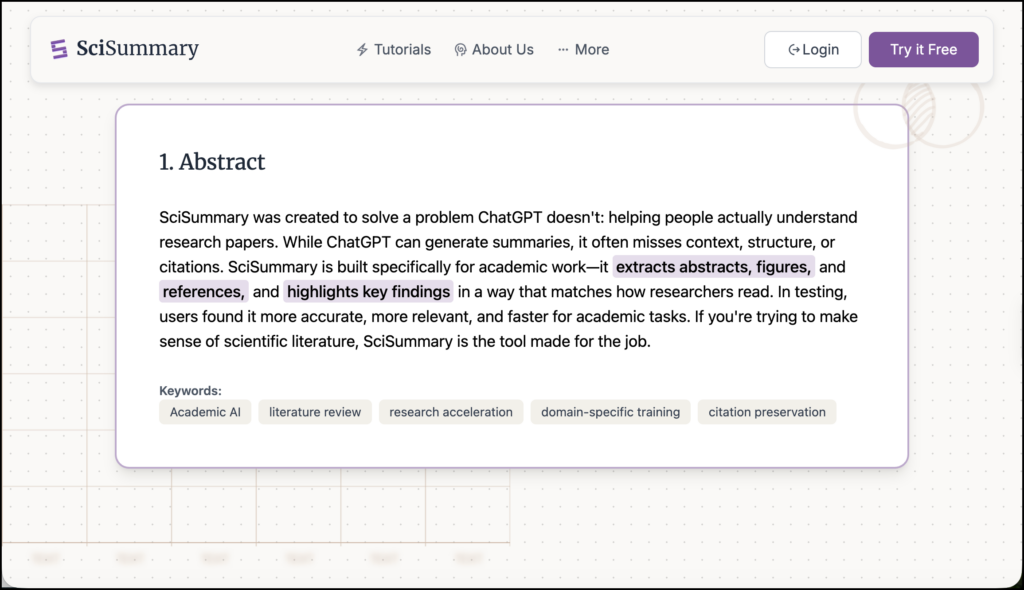
SciSummary Review: Main Features
Add papers in several ways
SciSummary’s documentation lists file uploads, public article URLs, pasted text, Zotero imports, and an article-search option.
You can adjust summary length, format, and language, or specify a page range. The documentation lists more than 130 summary languages.
For research purposes, I would match the input to the question. An abstract may help establish relevance, while evaluating methods requires access to the relevant sections of the paper. Check what material the tool actually received before relying on its answer.
Ask questions about your papers
The document chat guide describes questions about individual papers and multiple documents. According to SciSummary, responses include citations pointing to locations in the uploaded sources.
Possible questions include:
- What research question does this study address?
- How were participants selected?
- Which limitations do the authors acknowledge?
- What evidence supports the conclusion?
I would keep questions specific and inspect the cited passage after each response. A source link makes checking easier, but the passage still needs to support the answer. Pay attention to qualifications, especially when a response sounds more decisive than the authors.
Summarize and compare document collections
SciSummary distinguishes three operations that are easy to confuse:
| Operation | Documented limit | Output |
|---|---|---|
| Bulk summarization | 200 documents | Separate summaries |
| Combined summarization | 25 documents | A shared overview and individual summaries |
| Paper comparison | 10 documents | Comparisons of whole papers or selected sections |
The multi-document documentation also describes specifying a focus for comparisons and chatting across several articles.
I would begin with a small, relevant collection. Combining many papers can hide differences in populations, methods, and definitions. A comparison becomes more useful when you ask a bounded question, such as how several studies recruited participants or measured the same concept.
Related: Explainpaper Full Review
Explore figures and tables
SciSummary’s figure tools extract visuals from papers and provide contextual explanations. Users can ask questions and manually add figures missed during extraction.
This could help a reader approach an unfamiliar chart. I would ask for an explanation of its axes, groups, and reported pattern, then check those details against the caption and results section.
Be especially careful when moving from a visual pattern to an interpretation. A chart showing an association does not automatically support a causal explanation.
Organize readings and generate references
The platform includes folders, tags, and colour coding. Its citation documentation lists APA, Chicago, MLA, and Harvard reference formats.
I would use folders for projects and a small set of consistent tags for reading status or relevance. Labels such as “methods to examine” or “possible theoretical framework” can make a collection easier to revisit.
Generated references also need checking. Confirm author names, publication year, title, journal, and DOI before adding them to a manuscript.
Ways Researchers Can Use SciSummary
Get oriented before detailed reading. Request an overview, identify the sections most relevant to your question, and read those sections yourself. Record any mismatch between the summary and the paper.
Prepare an initial comparison. Select several studies and ask for a table covering participants, methods, findings, and limitations. Check each entry before treating it as part of your literature review.
Return to an established project. Use questions to locate material in papers you have already read. Revisit your own notes alongside the AI response.
Investigate an apparent disagreement. Ask how two papers define a concept or measure an outcome. Differences in definitions may help explain why their findings should not be compared directly.
These are suggested workflows. Their value depends on the accuracy of the output and the care taken in checking it.
Ways Teachers Can Use SciSummary
I see a useful role in teaching students how to evaluate research summaries. Students could read a short section independently, examine its AI summary, and identify one accurate statement, one omission, and one claim that needs qualification.
Another activity would focus on source checking. Give students an AI answer with its document citation and ask them to explain whether the cited passage supports the answer.
For graduate seminars, students could compare two studies’ methods, then discuss what the generated comparison captures and what requires disciplinary knowledge. The objective would be to practise judgement while using the tool.
Pricing and Access
Checked on October 1, 2026, SciSummary’s website displays a seven-day trial and a Pro subscription advertised at $4 per month, billed as $48 annually. The dollar currency is not explicitly identified in the displayed pricing text, so confirm it at checkout.
The trial lists allowances of 30,000 summary words, five figure analyses, and 100 chat messages. Pro advertises unlimited summaries, figure analyses, and chat messages, alongside a semantic-search allowance of 1,000 indexed documents.
The website also advertises a student promotion. Check the current terms, renewal price, and eligibility before subscribing. The monthly equivalent shown for annual billing is not a month-to-month payment.
Limitations and Privacy
SciSummary’s claims about accuracy should be treated as product claims. This review draws on official documentation and does not establish how reliably the tool handles different disciplines, document layouts, or research designs.
For unpublished manuscripts, participant information, or restricted documents, check your institution’s requirements before uploading. The public privacy policy is dated May 30, 2023; I would seek current clarification about document retention, AI-provider access, and training use when those details matter to a project.
The policy also states that the service does not address children under 13. For school use, teacher-led demonstrations with suitable published material are a more appropriate starting point than assuming students should create accounts.
My Assessment
SciSummary is worth considering when you want summaries, paper questions, and small-set comparisons in one research-reading workflow. Its document citations are particularly relevant because they provide a route back to the source.
I would use the trial with papers you already understand. Check whether summaries preserve limitations, whether answers point to supporting passages, and whether comparisons keep meaningful differences visible. That exercise will tell you more about its fit for your research than an impressive summary alone.