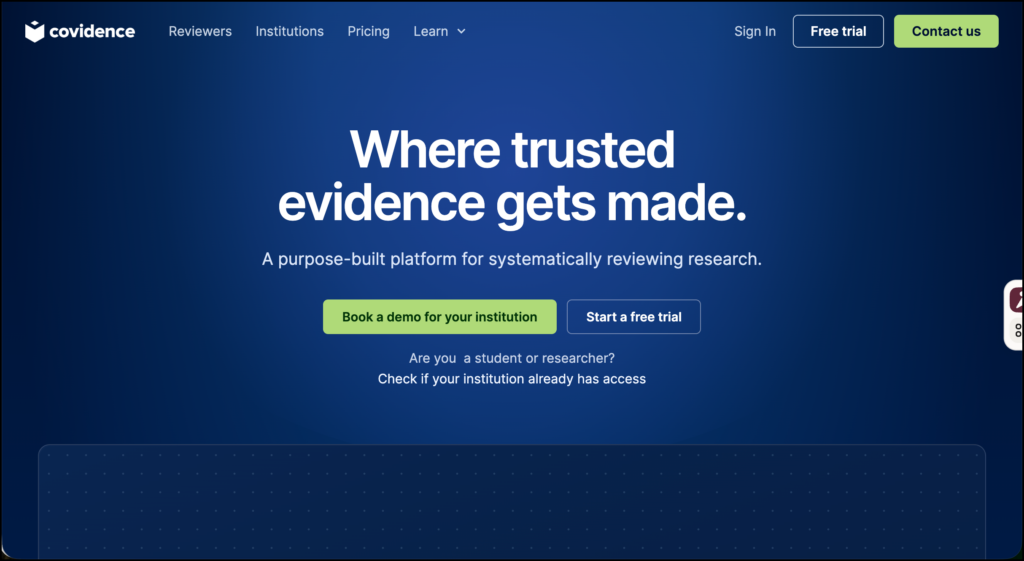
Covidence is a web-based platform for managing systematic reviews and other structured evidence-synthesis projects. It brings reference importing, duplicate removal, title and abstract screening, full-text review, data extraction, quality assessment, and exporting into one shared workspace.
This Covidence review focuses on what the platform does in practice. Covidence does not search academic databases for you, interpret an entire body of research, conduct a meta-analysis, or write the final review. Its job is to manage the workflow after you have run your searches and collected the records.
This distinction matters. A systematic review may involve thousands of references, several reviewers, blinded decisions, disagreements, duplicate reports, extraction forms, and a detailed record of why studies were excluded. Spreadsheets can handle a small project, but they quickly become difficult to manage. Covidence gives research teams a more controlled environment for completing these tasks.
What Can You Do with Covidence?
Import references and remove duplicates
Search results can be imported from reference managers and databases using formats such as RIS, CSV, and PubMed XML. Covidence works with exports from Zotero, EndNote, Mendeley, RefWorks, the Cochrane Register of Studies, and other systems that support these formats. It checks the imported records for duplicates before screening begins.
Covidence should not be confused with a reference manager. Zotero or EndNote remains the better place for maintaining a long-term research library, editing citation metadata, and inserting citations into a manuscript.
Title and abstract screening
Researchers can screen records by selecting Yes, Maybe, or No. New reviews use dual screening by default, meaning that two people independently assess each citation.
The decisions are blinded until both reviewers have voted. If they disagree, the citation is placed in a conflict list for resolution. This arrangement helps prevent one reviewer’s decision from influencing the other.
Review leads can also establish inclusion and exclusion criteria, assign screening work, monitor progress, and see which records are waiting for another decision.
Related: Scispace Review for Researchers
Full-text review
Studies retained during title and abstract screening move to the full-text stage. Reviewers can upload or attach PDFs, examine the complete report, and decide whether it meets the eligibility criteria.
When a paper is excluded, the reviewer selects a specific reason, such as wrong population, unsuitable study design, irrelevant outcome, or unavailable full text. These decisions contribute to the record needed for a PRISMA flow diagram and the excluded-studies section of a review.
Data extraction
Covidence includes configurable forms for extracting study information. A form may cover identification details, methods, population characteristics, interventions, outcomes, and results.
Teams can use single or dual extraction. Under the dual workflow, two researchers extract information independently and then resolve differences through consensus. A single-extractor workflow is available for projects that do not require duplicate extraction.
Covidence also provides automatic extraction suggestions in its Extraction 1 workflow. When a suggestion is available, the researcher can accept or reject it. A supporting quotation is shown beside the proposed value so that it can be checked against the paper.
Quality and risk-of-bias assessment
The default quality-assessment option is based on Cochrane’s Risk of Bias version 1. Researchers can edit the assessment template, create their own domains, and change judgement categories to accommodate other appraisal frameworks.
One limitation concerns Cochrane’s Risk of Bias 2 tool. Covidence does not currently provide a complete built-in RoB 2 template in Extraction 2. Researchers who need the full signalling-question workflow may have to complete it outside Covidence and transfer the resulting judgements.
This needs to be settled before extraction begins. A tool should fit the review protocol; the protocol should not be rewritten simply to fit the tool.
Collaboration and exports
A paid review can include unlimited collaborators. Team members can screen, extract data, resolve conflicts, and monitor progress from different locations.
Reference lists can be exported as RIS files for use in Zotero, EndNote, Mendeley, and RefWorks. Extracted data can be exported to Excel, while study and outcome data can be moved into RevMan through a series of CSV files.
Covidence helps manage the stages leading to synthesis, but statistical analysis and meta-analysis will normally take place in RevMan, R, Stata, or another analytical environment.
Covidence AI and Automation Features
Covidence uses several forms of automation, and they should not be treated as though they perform the same task.
The most relevant sorting feature uses active learning. It learns from decisions made within the current review and moves references that appear more relevant toward the top of the screening queue. Every record still requires human screening.
An RCT classifier can tag records as Possible RCT or Not RCT. Covidence also provides an option that moves records classified as non-randomized into the irrelevant category. The classifier was evaluated mainly on English-language biomedical literature, so its performance may not transfer equally well to education, social science, multilingual, or highly specialized reviews.
During data extraction, generative AI can suggest values for selected fields and identify intervention information from an uploaded PDF. These are proposals for the reviewer to check. They are not confirmed study data.
Covidence recommends documenting the use of automation in the protocol and final report. It provides reporting guidance for methods sections and PRISMA documentation.
How to Use Covidence for a Systematic Review
The following example assumes a research team is investigating:
What effect does formative feedback literacy instruction have on university students’ use of feedback?
1. Develop the protocol before opening the review
Agree on the research question, databases, search strategy, date limits, eligible populations, study designs, outcomes, and languages. Decide whether two reviewers will independently complete each stage.
Register or publish the protocol when this is appropriate for the review type. Covidence manages the agreed process; it does not supply the methodological decisions.
2. Run searches in the appropriate databases
Search ERIC, Scopus, Web of Science, PsycINFO, Education Source, ProQuest, or other databases relevant to the question. Record the exact search strings, filters, dates, platforms, and number of results.
Export the records to a reference manager. Keep an untouched copy of each database export so the search can be audited or repeated later.
3. Create the Covidence review and invite the team
Name the review clearly and invite the researchers who will screen, extract, or resolve conflicts. Assign a review lead who is responsible for managing criteria, forms, and exports.
Before screening begins, discuss how the team will interpret the eligibility criteria. Terms such as “higher education,” “feedback literacy,” and “formative intervention” can be interpreted differently unless they are operationally defined.
4. Import the references
Import the database files separately. Keeping batches identifiable makes it easier to trace records back to their original searches.
Review the duplicate records identified by Covidence. Automated deduplication is useful, but similar titles, translated publications, conference abstracts, and multiple reports from one study can complicate the process. Save enough information to distinguish a duplicate citation from a companion publication.
5. Pilot the title and abstract screening
Ask each reviewer to screen the same small sample, perhaps 25 to 50 records. Compare the decisions and discuss disagreements.
For example, one reviewer may include any paper mentioning student feedback, while another may require an instructional intervention explicitly designed around feedback literacy. Resolve that difference before dividing the remaining workload.
The goal of the pilot is consistency. High speed is of little value if reviewers are applying different rules.
6. Complete blinded screening
Reviewers independently assess titles and abstracts. Records judged potentially relevant proceed to full-text screening.
Most relevant sorting can bring promising records forward, which may help the team understand the likely evidence base sooner. It does not change the eligibility criteria or remove the obligation to process the full screening set.
If the RCT classifier is used, document the setting, its intended purpose, and how automatically moved records were checked. For an educational review that includes qualitative or mixed-method research, the RCT classifier may have little value.
7. Retrieve and screen the full texts
Attach the PDFs and assess each report against the full eligibility criteria. Use a short list of specific exclusion reasons that can be applied consistently.
“Not relevant” is usually too vague. “Wrong population,” “no feedback-literacy intervention,” or “outcome not reported” provides a more useful record.
Review disagreements through discussion. If necessary, assign a third reviewer. Covidence organizes the conflict, but the team must make and justify the decision.
8. Link reports that describe the same study
One research study may produce an article, conference paper, dissertation, protocol, and follow-up report. Treating every publication as a separate study can result in double-counting.
Before extraction, identify companion reports and determine which document provides each piece of information. Covidence organizes records, but researchers still need to establish the correct unit of analysis.
9. Design and pilot the extraction form
Create fields that answer the research question. For the feedback-literacy review, these could include:
- Country and educational setting
- Participant characteristics
- Intervention components
- Duration
- Comparison condition
- Feedback-use measure
- Study design
- Main results
- Attrition
- Author-reported limitations
Test the form on two or three studies. If reviewers repeatedly use a notes box because an important field is missing, revise the template before extracting the remaining studies.
10. Verify automated extraction suggestions
Check every suggested value against the supporting quotation and the complete paper. Confirm whether a number refers to the original sample, the analyzed sample, a subgroup, or a follow-up assessment.
Keep interpretation separate from extraction. The extraction form should record what the paper reports. Judgements about credibility, relevance, and explanatory value belong in later appraisal and synthesis.
11. Complete quality assessment
Choose an appraisal framework suited to the included study designs. A review containing randomized trials, qualitative studies, and observational research may require more than one assessment approach.
Pilot the appraisal process just as you piloted screening. Reviewers need a shared interpretation of each domain and should record a brief justification for every judgement.
12. Export, analyze, and report
Export the final reference lists, exclusion reasons, extracted data, and quality assessments. Conduct quantitative synthesis in RevMan, R, or another statistical tool. Complete qualitative or narrative synthesis using a method specified in the protocol.
Check the PRISMA counts against the exported records. Report who screened and extracted data, how conflicts were handled, and which automation features were used.
Covidence Pricing
As checked in September 2026, the Single plan costs $339 USD per year and includes one review with unlimited collaborators. The Package plan costs $907 USD per year and supports up to three reviews, also with unlimited collaborators. Both are valid for 12 months.
Organization-wide and departmental licences use custom pricing. Covidence also provides a trial that accepts up to 500 records.
Before purchasing an individual plan, check whether your university, hospital, library, research centre, or professional association already provides institutional access.
Limitations and Cautions
Covidence can make a review easier to coordinate, but it does not guarantee methodological quality. Poor eligibility criteria, an incomplete search, inconsistent appraisal, or careless extraction will remain poor research inside a polished platform.
Researchers should also examine the privacy implications of uploading unpublished material. Covidence states that account and review data are processed under Australian privacy requirements and the GDPR. It uses encryption for storing and transferring personal data, but information may be stored or processed outside the researcher’s country. Its privacy policy also discusses aggregation and potential sharing of review data as part of future scientific datasets. Institutional ethics, data-governance, and contractual requirements should therefore be checked before uploading confidential material.
Covidence states that unpublished data, extracted results, and proprietary comments are not used to train public-facing AI models without explicit consent. Even with that assurance, reviewers remain responsible for determining whether documents contain sensitive, copyrighted, or restricted information.
Final Assessment
Covidence is a strong choice for systematic-review teams that need a shared and auditable process. Its most useful qualities are blinded dual screening, conflict management, structured full-text decisions, configurable extraction, quality assessment, and clear exports.
The cost may be difficult to justify for a small narrative review or a student project involving a limited number of sources. It becomes easier to defend when several reviewers are processing hundreds or thousands of records, particularly if institutional access is available.
Its newer AI functions can reduce repetitive work, but they should be planned, verified, and reported as part of the review methodology. Covidence is at its best when it brings discipline to a sound protocol. It cannot supply that discipline on its own.
Sources
- https://www.covidence.org/
- https://www.covidence.org/pricing/
- https://support.covidence.org/
- https://support.covidence.org/help/screening-by-title-and-abstract
- https://support.covidence.org/help/exporting-data
- https://support.covidence.org/help/how-to-complete-data-extraction-for-a-study
- https://support.covidence.org/help/overview-of-all-automation-ai-features-available-in-covidence
- https://support.covidence.org/help/should-i-use-automation-ai-in-my-review
- https://support.covidence.org/help/covidences-approach-to-responsible-automation-ai
- https://support.covidence.org/help/faq-which-risk-of-bias-tool-does-covidence-use
- https://support.covidence.org/help/faq-what-does-the-process-of-importing-data-into-revman-web-look-like
- https://www.covidence.org/privacy/
- https://www.covidence.org/terms/