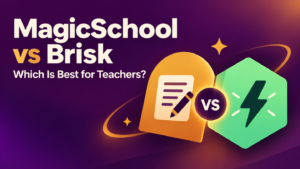
ChatGPT and MagicSchool can both help teachers draft lesson plans, develop activities, and revise instructional materials. The main difference is how you begin. ChatGPT gives you an open conversation in which you describe and refine your lesson. MagicSchool offers dedicated education tools that provide a more structured starting point.
My recommendation is to start with MagicSchool if you prefer a guided approach to familiar planning tasks. Consider ChatGPT if you want to explore different approaches, question a draft, and work through several revisions. This is a judgement about their workflows, rather than evidence that one consistently produces better lessons.
The more useful comparison is what happens after the first draft appears. How easily can you adapt the plan to your students? Does it address the intended learning? How much work remains before you would feel comfortable teaching it?
ChatGPT vs MagicSchool: Quick Comparison
| Feature | ChatGPT | MagicSchool |
|---|---|---|
| Starting point | Describe your lesson in a conversation | Select a dedicated lesson-planning tool |
| Planning approach | Open-ended prompting and follow-up discussion | Structured tools with education-focused guidance |
| Customization | Explain constraints and request specific revisions | Add classroom context and adjust generated content |
| Related materials | Request examples, questions, explanations, and activities in the conversation | Use dedicated tools for worksheets, quizzes, presentations, and other tasks |
| Curriculum alignment | Provide the exact outcome or standard in your prompt | Lesson Plan Generator supports standards alignment |
| Main advantage | Flexibility when exploring and revising ideas | A guided starting point for common teaching tasks |
| Main challenge | You need to communicate the planning context clearly | A structured output still needs careful checking for classroom fit |
| Free access | Free plan available, with limits on some tools | Free teacher plan available, with paid upgrades |
The feature comparison draws on current provider documentation. Recommendations reflect how these workflows could support planning, rather than a hands-on performance test.
Using ChatGPT for Lesson Planning
ChatGPT lets you develop a lesson through conversation. You can describe your students, explain the learning goal, request a draft, and then ask for changes. OpenAI’s educator guidance includes a planning approach that asks about prior knowledge and learning goals before generating a lesson, followed by discussion of revisions and misconceptions.
That conversational approach is useful when you are still deciding how to teach something. You might ask for three possible opening activities, compare their demands, and select one to develop further.
For example, rather than requesting “a Grade 7 lesson on persuasive writing,” you could specify:
Plan a 45-minute Grade 7 lesson in which students develop a claim and support it with relevant reasons. Students can identify a claim but often repeat it instead of explaining their reasons. Include a short model, guided practice, independent writing, and an exit ticket. Students have paper and pencils but no individual devices.
Once the draft appears, continue with focused requests:
- Which activity provides evidence that students can explain a reason?
- Where might students confuse a reason with an example?
- Reduce the lesson to 35 minutes while preserving independent practice.
- Suggest a scaffold that supports students without supplying their arguments.
These are suggested prompts, not guarantees about the quality of the response. Their purpose is to make the planning conversation more specific and useful.
Where ChatGPT Needs More Direction
An open conversation also leaves room for unstated assumptions. If you omit the available time, prior learning, or resources, the draft may not fit your classroom.
I would therefore give it the learning outcome, the evidence you want students to produce, and the practical constraints before asking for activities. If curriculum alignment matters, paste the exact wording of the outcome rather than relying on the tool to recall it.
Using MagicSchool for Lesson Planning
MagicSchool organizes its platform around teaching tasks. Its Lesson Plan Generator supports structured plans with learning objectives and standards alignment. The wider platform includes tools for planning, differentiation, assessment, and communication, with built-in examples and tips to help teachers get started.
This structure may suit teachers who prefer selecting a task rather than constructing an initial prompt from scratch. You begin with the lesson-planning tool, provide the relevant details, and review the resulting plan.
MagicSchool also offers separate tools for related resources, including worksheets, quizzes, and presentations. That gives teachers a way to extend a lesson draft into supporting materials within the same platform.
For the persuasive-writing example, you could use the lesson plan as a starting point, then prepare a practice resource or a short check for understanding. Review those materials together so that they use consistent terminology and address the same learning goal.
Where MagicSchool Still Needs Teacher Judgement
A well-organized plan can look convincing because it contains familiar headings and a complete sequence. Those features make it easier to read, but they do not establish that the activities will work for your students.
Check the relationship between the objective, practice, and assessment. If students are supposed to develop reasons for an argument, a worksheet that only asks them to identify reasons does not provide enough evidence of that learning.
Similarly, treat standards alignment as something to verify. Look at what students actually do, rather than whether the correct standard appears at the top of the plan.
Which Is Better for Differentiation?
Both tools can support requests for adapted instruction. ChatGPT accepts detailed classroom context through conversation, while MagicSchool provides tools for differentiation and content adjustment.
I would compare them using a specific need. Instead of asking either tool to “differentiate this lesson,” explain the barrier:
Keep the learning goal focused on evaluating evidence. Suggest support for students who understand the topic but struggle with the vocabulary. Preserve the requirement that students judge the evidence themselves.
Then examine whether the proposed support improves access while keeping the intended thinking with the student. Sentence starters, vocabulary support, and a worked example may serve different purposes; choose what addresses the difficulty you have identified.
Free Plans and Paid Options
ChatGPT offers a free plan. Features such as file uploads and other tools have usage limits, so check the current plan details if you intend to work regularly with curriculum documents or teaching resources.
There is also a separate ChatGPT for Teachers offering, currently free through June 2028 for verified educators working in accredited U.S. K–12 schools or districts. This is not a worldwide free-teacher offer, and it is separate from the standard consumer plan.
MagicSchool offers a free teacher plan and a Plus subscription. Plus is currently listed at US$12.99 per month, or US$8.33 per user per month when billed annually. Paid benefits include unlimited generations, output history, and AI-output editing. School and district plans use custom pricing.
Which Should You Choose?
Choose MagicSchool if you want dedicated teaching tools and a guided starting point for lesson plans and supporting resources.
Choose ChatGPT if you prefer working through ideas conversationally and making detailed revisions as your plan develops.
Try both with the same learning outcome and classroom context. Compare how much useful thinking each supports, how much correction the draft needs, and whether the final activities produce the evidence of learning you intended.