ChatGPT, Gemini and Claude can all draft lesson plans, create classroom activities, adapt texts and help teachers work through ideas. On the surface, they appear remarkably similar. Once you begin using them for real teaching tasks, however, the differences become clearer.
The most useful way to compare them is not to ask which model is universally “best.” A better question is: which one fits the work you already do?
ChatGPT is the broadest general-purpose AI workspace. Gemini makes the most sense for teachers already working in Google Classroom and Google Workspace. Claude is particularly strong for working through lengthy materials, developing written resources and, in the United States, accessing a dedicated teacher environment connected to curriculum resources.
This ChatGPT vs Gemini vs Claude comparison looks at those differences from a teacher’s perspective.
In This Guide
- ChatGPT, Gemini and Claude at a glance
- ChatGPT for teachers
- Gemini for teachers
- Claude for teachers
- Lesson planning and resource creation
- Working with documents and research
- Classroom integration
- Student learning
- Privacy and educational access
- Which AI assistant should teachers choose?
ChatGPT vs Gemini vs Claude at a Glance
| Area | ChatGPT | Gemini | Claude |
|---|---|---|---|
| Best fit | Teachers wanting one flexible AI workspace | Schools using Google Classroom and Workspace | Teachers working with substantial documents and written materials |
| Lesson planning | Strong and highly adaptable | Strong, with dedicated tools inside Classroom | Strong, especially through Claude for Teachers |
| Classroom integration | Limited direct LMS integration | Deep integration with Google Classroom | Connectors to selected education platforms |
| Document work | Files, Projects, Canvas and data analysis | Drive, Docs, Gmail, Classroom and Gemini Notebook | Projects, large document collections and Artifacts |
| Research support | Web search and Deep Research | Deep Research and Gemini Notebook | Web search and Research |
| Student learning | Study mode and custom GPTs | Notebook and Gems can be assigned in Classroom | Learning mode in Claude for Education |
| Visual creation | Built-in image generation and Canvas | Image and multimedia tools vary by account | Strong interactive Artifacts; less focused on conventional image generation |
| Teacher-specific plan | U.S. K–12 plan | Education access through Google Workspace | U.S. K–12 plan |
| Main advantage | Range of tools | Google ecosystem | Curriculum-connected teacher workflows and document handling |
| Main limitation | Many features can feel scattered | Most useful when the school uses Google products | Direct teacher plan is currently limited to the U.S. |
Features and access conditions in this comparison were checked in October 2026. AI products change frequently, so teachers should confirm current availability through their school or the relevant official product page.
ChatGPT for Teachers
ChatGPT remains the most versatile of the three assistants. Teachers can use it for lesson planning, brainstorming, differentiation, feedback drafts, data analysis, image creation and research. It can work with PDFs, Word documents, spreadsheets, presentations and images, although limits depend on the account and plan.
Its main advantage is the number of tasks it can handle within one environment. A teacher might upload a curriculum document, develop a unit outline, create a rubric in Canvas, analyze an anonymized spreadsheet of assessment results and then produce a visual for the lesson.
Projects are especially useful for sustained planning. A teacher can create a project for a course or unit, upload relevant materials and provide instructions that apply across the conversations inside it. This is more manageable than explaining the same curriculum context every time.
ChatGPT also includes Study mode. Instead of immediately supplying an answer, Study mode can ask questions, provide hints and check understanding. It does not prevent students from requesting direct answers in another conversation, but it gives teachers a more learning-oriented option to recommend.
For research-heavy tasks, Deep Research can search multiple sources and produce a report with citations. Teachers still need to open the sources and confirm that they support the claims being made. A polished report is not automatically a reliable one.
OpenAI now provides a dedicated ChatGPT for Teachers workspace. It includes file tools, web search, Deep Research, image generation, data analysis, custom GPTs, shared workspaces and administrative controls.
Information submitted through this plan is not used to train OpenAI’s models by default. As of October 2026, it is free through June 2028 for verified educators and staff working in accredited U.S. K–12 schools. The plan is for educators, not student accounts.
That geographical restriction matters. Teachers in Canada and other countries can still use standard ChatGPT plans, but they do not automatically receive the U.S. teacher workspace or its institutional protections.
Gemini for Teachers
Gemini for Education has one substantial advantage: it lives within an ecosystem that many schools already use.
A teacher working in Google Classroom, Docs, Drive, Gmail, Forms and Slides does not need to move everything into a separate AI platform. Gemini can help draft content in Docs, work with files stored in Drive and support common planning tasks inside Classroom.
Gemini in Google Classroom includes tools for:
- Outlining lesson plans
- Writing lesson hooks
- Generating quizzes
- Re-levelling texts
- Creating vocabulary lists
- Developing rubrics
- Identifying common misconceptions
- Brainstorming student projects
These are guided tools, which can be helpful for teachers who do not want to begin every task with a blank prompt. Gemini in Classroom is available across Google Workspace for Education editions, although individual features, administrative settings and advanced capabilities can vary.
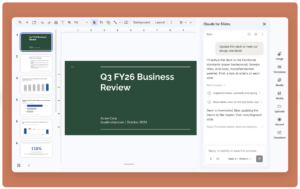
The most interesting development is the ability to create and assign Gemini Notebook and Gems through Google Classroom. A teacher can build an AI-supported learning experience around selected course materials and then assign it to students. This keeps the activity closer to the sources and objectives chosen by the teacher. Access must be enabled by the school administrator for both teachers and students.
Gemini Notebook is particularly useful when a teacher wants the AI interaction grounded in a defined collection of materials. It can generate study resources and help users explore the uploaded sources. This does not eliminate the need for verification, but it narrows the evidence base and makes it easier to trace an answer back to the assigned material.
Gemini is the obvious starting point for a school already organized around Google Classroom. Its value comes from integration as much as model performance. If lesson materials, assignments and communication already live in Google Workspace, Gemini reduces the number of transfers between systems.
Claude for Teachers
Claude is known for its ability to work with lengthy documents and produce clear, well-structured writing. For teachers, it is useful when a task involves reading substantial curriculum materials, comparing documents, developing detailed learning resources or revising a long draft.
Projects allow teachers to collect documents and instructions around a subject, course or planning task. Claude can use those files as background across the conversations within the project. Artifacts provide a separate area in which Claude can create and revise documents, diagrams, interactive activities, simple applications and other materials.
Anthropic introduced Claude for Teachers in July 2026. The offering gives verified U.S. K–12 educators access to premium Claude capabilities, a collection of teaching skills and a Learning Commons connection.
The Learning Commons connection gives Claude access to standards from all 50 U.S. states, learning competencies and selected curriculum resources. Anthropic has also connected the teacher environment with tools such as ASSISTments, Brisk Teaching, Canva Education, Diffit, MagicSchool, Snorkl and TeachFX.
This gives Claude for Teachers a more explicitly curriculum-oriented identity. A teacher can ask it to plan from selected instructional materials, develop differentiated versions or work with de-identified classroom information.
Anthropic states that teacher conversations are not used for model training. The company also cautions that the use of educational data remains subject to school, district and state policies.
Verified U.S. educators who sign up by June 30, 2027, can receive one year of free access. Claude for Teachers is limited to educators and follows Claude’s 18-and-over policy; it is not a student account.
Once again, geography is important. Educators outside the U.S. can use regular Claude accounts, but the dedicated K–12 teacher plan, U.S. standards connection and associated protections may not be available to them.
ChatGPT vs Gemini vs Claude for Lesson Planning
All three can produce a plausible lesson plan. That does not mean the plans are equally useful or ready to teach.
ChatGPT gives teachers the most flexibility. It is well suited to iterative planning where the teacher wants to question assumptions, revise individual sections and create several related materials in one workspace.
Gemini is more convenient when the plan needs to become a Google Classroom assignment, Google Doc, rubric or classroom resource. Its guided Classroom tools also make it easier for new users to begin.
Claude has an advantage when planning depends on a large amount of background material. Its U.S. teacher edition goes further by connecting lesson development with standards and selected curriculum resources.
Regardless of the tool, I would begin with the curriculum outcome and the evidence students need to produce. The AI assistant should enter the process after those decisions have been made. Otherwise, it may generate an attractive activity that has only a loose connection to the intended learning.
Which Is Better for Working With Documents?
For general file work, ChatGPT has the widest collection of supporting tools. It can summarize documents, compare files, analyze spreadsheets, produce charts and help build new materials from uploaded content.
Claude is particularly comfortable with long texts and document collections. It is a good option for examining curriculum documents, policies, reports and lengthy student-facing materials. Its writing is often clear and restrained, although teachers still need to check its interpretation of the source.
Gemini is strongest when the documents already live in Google Drive. Gemini Notebook adds a useful source-grounded environment for exploring a defined collection of materials.
The best choice therefore depends partly on where the files are stored and what needs to happen after they are analyzed.
Which Tool Is Better for Student Learning?
None of these platforms should be treated as an automatic tutor. Each can explain a topic clearly and each can also provide an inaccurate, oversimplified or unhelpful answer.
ChatGPT’s Study mode and Claude’s Learning mode attempt to slow down the interaction by asking students questions and guiding them through a problem. Gemini lets teachers assign Notebook and Gem experiences grounded in classroom materials.
These are useful design directions, but the mode itself does not guarantee learning. A student can still accept suggestions without evaluating them or move to another chat that supplies the answer directly.
Teachers need to design the surrounding activity. Students might compare an AI explanation with the original source, identify one suggestion they rejected, show the evidence behind a claim or explain how the AI contribution changed their initial thinking. These small additions keep the student’s judgement visible.
Privacy, Student Data and School Approval
A personal AI account and an institutionally managed education account are not the same thing.
Teacher-specific and institutional plans may include stronger data protections, administrative controls and agreements designed for educational settings. Personal plans have their own data settings and terms. Teachers should not assume that turning off a training option makes a personal account suitable for confidential student information.
Before uploading student work, assessment records or identifiable information, check:
- Whether the platform has been approved by the school or district
- Which account type is being used
- Whether student information must be removed
- Who can access uploaded files and generated materials
- How long the information is retained
- Whether students meet the platform’s age requirements
When approval is unclear, use invented examples or de-identified material.
Which AI Assistant Is Better for Teachers?
There is no single winner for every teacher.
Choose ChatGPT if you want a broad AI workspace that can handle planning, writing, files, images, data analysis and research. It is the most flexible choice for moving between different kinds of work.
Choose Gemini if your school relies heavily on Google Classroom and Google Workspace. Its integration with tools teachers already use may matter more than small differences in model output.
Choose Claude if much of your work involves lengthy texts, careful writing and substantial collections of source material. For eligible U.S. K–12 educators, Claude for Teachers adds curriculum connections and dedicated teaching workflows that make it a serious alternative.
My practical recommendation is to test all three with the same authentic task. Give each one a curriculum outcome, your classroom context and a sample resource. Then compare the results for accuracy, educational fit, adaptability and the amount of revision required. The assistant that produces the most polished first response is not necessarily the one that best supports your professional judgement.
AI can shorten parts of the planning process, but it cannot know your students as you do. Whichever platform you choose, the final decisions about what to teach, what counts as evidence of learning and what belongs in your classroom remain yours.