NotebookLM has quietly become one of my favorite AI tools for education. I included it in my list of top educational AI tools for 2025, and with the features Google keeps adding, it’s becoming a serious alternative to ChatGPT and Claude. What makes it different? You build a contained context window by uploading your own sources, and the AI works only with those materials. This grounded approach means fewer hallucinations and more accurate, relevant responses.
I’ve been experimenting with NotebookLM in various educational contexts, and I’ve found ten practical strategies that go well beyond basic summarization. Here’s a quick look at each one.
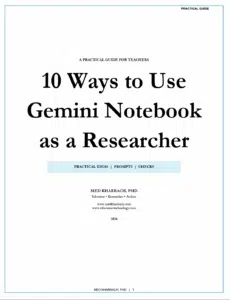
This guide is also available as PDF guide. Check out 10 Unexpected Ways to Use NotebookLM with Your Students (Expanded PDF Version)

1. Summarize YouTube Videos
YouTube is packed with quality educational content, but a 45-minute lecture takes time to process. My workaround: I open the video, click on the transcript option below the player, copy the text, and paste it into NotebookLM. The AI then works with the actual words spoken, which leads to much more accurate summaries than asking it to interpret video directly.
2. Formative Self-Assessment
The quiz feature in NotebookLM is perfect for comprehension monitoring. Students upload their readings or notes, generate quiz questions tied to that specific content, and immediately discover where their understanding falls short. The feedback arrives when it’s most useful: right after engaging with the material.
3. Dialogic Reasoning
Good learning happens through dialogue, but study groups fall through and office hours don’t always align with schedules. NotebookLM can serve as a thinking partner. Students upload their course materials and ask analytical questions like “How would this author respond to the argument in my lecture notes?” The conversation stays grounded in the actual content.
4. Identify Research Gaps
Finding a genuine research gap is hard work. After you’ve read your sources (and this part matters), you can upload multiple papers and ask NotebookLM to identify underexplored areas. I also like uploading my own hunches about what’s missing and asking the AI to help refine those ideas. It keeps you in the driver’s seat intellectually.
5. Audio Summaries
The podcast feature is underrated. Upload your materials and NotebookLM generates a conversational audio overview with two AI voices discussing the key ideas. Students can listen while commuting, exercising, or doing chores. Time that would otherwise be lost becomes study time.
6. Visualize Understanding
Sometimes you need to see ideas laid out spatially before they click. The infographics feature turns text-heavy content into flowcharts, diagrams, and structured overviews. The slides and video overview options work similarly. These visual outputs become mental anchors for later recall.
7. Source Comparison and Synthesis
Students often struggle to put multiple sources into conversation with each other. They summarize each one individually but never identify points of agreement or tension. NotebookLM can model what synthesis looks like by flagging where authors align and where they diverge.
8. Study Guide Generation
Generic study guides cover what the textbook thinks is important, not what your specific course emphasized. Students can upload their own notes, slides, and readings, then generate a study guide shaped by what their instructor actually taught.
9. Writing Feedback and Argument Testing
Students can upload a draft alongside their sources and ask NotebookLM whether their argument accurately represents the material. The AI can check if quoted passages support the claims being made and identify logical gaps. This feedback arrives while there’s still time to revise.
10. Preparing for Discussions or Presentations
The anxiety before a presentation often comes from not knowing what questions might come up. Students can upload their materials and ask NotebookLM to generate challenging questions based on that content. Rehearsing with tough questions builds the kind of intellectual confidence that shows up in the room.
Final Thoughts
These strategies are starting points. Once you begin exploring NotebookLM with your students, you’ll discover applications that fit your specific context. The key is approaching the tool with intention: upload materials you’ve actually engaged with, ask questions that push thinking, and treat the AI as a thinking partner. For a deeper look at each strategy with practical examples, you can download the full guide here.