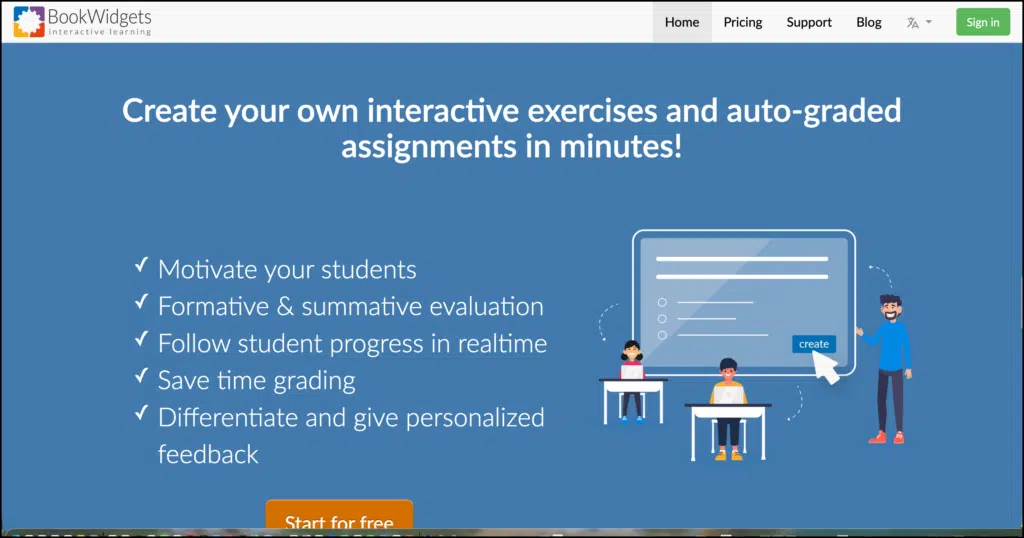
BookWidgets is a content creation and assessment platform that helps teachers turn lesson materials into interactive digital activities. Teachers can create quizzes, worksheets, games, timelines, interactive videos, WebQuests, exit tickets, flashcards, and many other resources, then share them directly with students.
This BookWidgets review examines the features that matter most in classroom use, including its activity templates, question types, automatic grading, feedback tools, live monitoring, and learning management system integrations.
BookWidgets sits somewhere between a quiz creator, an interactive lesson builder, and a digital assessment system. It gives teachers considerably more design control than simple game platforms such as Kahoot, while keeping activity creation more accessible than many full learning management systems.
BookWidgets features for teachers
More than 40 activity templates
BookWidgets calls its activities “widgets.” Its widget library currently includes more than 40 templates covering several kinds of classroom work.
Teachers can create familiar resources such as quizzes, worksheets, surveys, flashcards, and exit tickets. Other templates support more specialized activities, including:
| Assessment and practice | Games and review | Lessons and exploration |
|---|---|---|
| Quizzes | Bingo | WebQuests |
| Worksheets | Crosswords | Interactive timelines |
| Split worksheets | Memory games | Hotspot images |
| Video quizzes | Word searches | Planners |
| Surveys | Jigsaw puzzles | Interactive videos |
| Exit tickets | Pair matching | Before and after images |
The range makes BookWidgets useful across subjects. A history teacher might build an editable timeline, while a language teacher could create listening exercises, vocabulary games, and writing prompts. A science teacher could combine diagrams, video, calculations, and open responses in the same activity.
More than 35 question types
The Quiz, Worksheet, Split Worksheet, and Video Quiz widgets support more than 35 question types. According to BookWidgets, around 30 of these can be graded automatically.
The options extend beyond conventional multiple choice questions. Teachers can ask students to fill in blanks, label images, arrange items, match pairs, annotate text, record audio, plot information, complete tables, or provide extended written responses.
This flexibility is one of the strongest reasons to consider BookWidgets. Teachers can choose a response format that fits the learning goal instead of reshaping every task into a multiple choice quiz.
Automatic grading and feedback
Questions with predefined answers can be graded automatically. Teachers can determine the correct response, assign points, and configure the feedback students receive.
Responses that require professional judgement, such as essays or audio recordings, can be reviewed through the reporting dashboard. Teachers can add comments and correction labels before returning the activity.
Automatic grading can reduce the time spent checking routine practice. It still requires careful setup. Teachers need to anticipate acceptable answers, spelling variations, units, and alternative ways students might express a correct idea.
Live student monitoring
The Live Widgets feature allows teachers to follow student activity while an assignment is underway. The dashboard can show who has started, how students are progressing, and where they appear to be having difficulty.
This can be useful during independent work. A teacher can notice that several students are struggling with the same question and pause the activity to clarify the concept. Students who finish quickly can receive an extension without waiting for the entire class.
Live monitoring should support timely teaching decisions. It is less helpful when it becomes constant surveillance of how quickly each student works. Some learners need more time to read, plan, or revise an answer.
Multimedia and interactive lessons
Teachers can add images, audio, video, links, formulas, and other media to their activities. The Video Quiz widget can place questions inside a video, while the Hotspot Image widget can turn a diagram, map, artwork, or photograph into an exploratory activity.
The WebQuest and Planner widgets are suited to longer learning sequences. They can organize instructions, resources, media, and smaller activities into sections that students complete at their own pace.
These options allow BookWidgets to support full lessons as well as brief checks for understanding.
Differentiation
Teachers can duplicate and modify widgets for different groups, provide hints and feedback, and create alternative routes through a lesson. Activities can also be adapted to students’ pace or current level of understanding.
Differentiation still depends on the teacher’s decisions. The platform supplies the structure, but it does not automatically determine which version of an activity is appropriate for each learner.
LMS integrations
BookWidgets integrates with Google Classroom, Microsoft Teams for Education, Moodle, Canvas, Schoology, itslearning, and Blackboard Learn.
Teachers can create, distribute, grade, and return activities from within supported systems. Scores can be sent to the LMS gradebook, which removes some of the duplication involved in recording results.
The quality of the experience may depend on the school’s configuration. Some integrations require administrator permissions or initial setup before students can open assignments successfully.
Practical ways to use BookWidgets
BookWidgets can support short activities and extended lessons. Teachers might use it to:
- Create an automatically graded retrieval quiz at the beginning of class.
- Add questions and reflection pauses to an instructional video.
- Design an interactive image for labelling scientific diagrams or geographic features.
- Collect an exit ticket and review class responses before planning the next lesson.
- Build a WebQuest that brings instructions, sources, questions, and reflection into one activity.
- Create differentiated versions of a worksheet for different levels of support.
- Monitor independent work and provide feedback while students are still completing the task.
The platform is especially useful for teachers who already have worksheets or assessment ideas and want to rebuild them as interactive digital resources.
BookWidgets compared with similar tools
| Tool | Main purpose | Content flexibility | Live participation | Automatic grading | Best fit |
|---|---|---|---|---|---|
| BookWidgets | Interactive lessons and assessment | More than 40 widgets and 35 question types | Yes | Extensive | Teachers who want control over activity and assessment design |
| Kahoot | Live games and review | Quizzes, polls, slides, and selected response formats | Strong | Yes | Energetic whole class review |
| Wayground | Lessons, quizzes, video, and assessment | Broad formats with AI tools and accommodations | Yes | Yes | Teachers wanting an all purpose instructional platform |
| H5P | Interactive web and LMS content | Interactive video, presentations, branching scenarios, and many other formats | Limited | Depends on content type | Schools wanting flexible content inside an LMS or website |
| Google Forms | Forms, surveys, and simple quizzes | More limited activity design | No dedicated live game mode | Yes for quizzes | Quick assessments and data collection |
BookWidgets is closest to H5P in the variety of content teachers can build. It is easier to approach as a dedicated teacher platform, while H5P can provide more institutional flexibility when it is installed inside an existing LMS.
Kahoot is the stronger choice for fast paced classroom games. Wayground provides a broader collection of presentation, assessment, accommodation, and AI assisted creation tools. Google Forms remains simpler for teachers who only need a basic quiz or survey.
Pricing
BookWidgets is a subscription service with yearly plans. The company provides a free 30 day trial during which teachers can create unlimited widgets and use them with students.
The official pricing page did not display fixed subscription amounts during this review, so teachers should consult the page directly for current individual, group, and school pricing. This is worth considering because BookWidgets does not appear to provide a permanent free teacher plan comparable to the basic tiers available from some competitors.
Privacy considerations
BookWidgets is operated by Kidimedia BV in Belgium. Its privacy policy states that personal data is processed in accordance with GDPR requirements and stored on servers in the European Economic Area.
The policy also discusses school responsibilities under COPPA and FERPA for users in the United States. It states that personal data is not sold or disclosed to third parties without consent except where necessary to provide the service or comply with the law.
Schools should review the policy and any applicable data processing agreement before asking students to create accounts or submit identifiable work.
Is BookWidgets worth using?
BookWidgets is a good fit for teachers who want to build their own interactive lessons and assessments with more variety than a standard quiz tool provides. Its strongest areas are the breadth of its templates, the range of response formats, automatic grading, personalized feedback, and close LMS integration.
The main limitation is the time required to learn the system and design good activities. The large number of settings can feel demanding when a teacher simply needs a quick quiz. It is also a paid subscription after the trial.
For teachers who regularly create digital worksheets, interactive videos, WebQuests, and formative assessments, that investment may be worthwhile. Teachers mainly interested in occasional live games or simple surveys will probably find Kahoot, Wayground, or Google Forms easier to maintain.