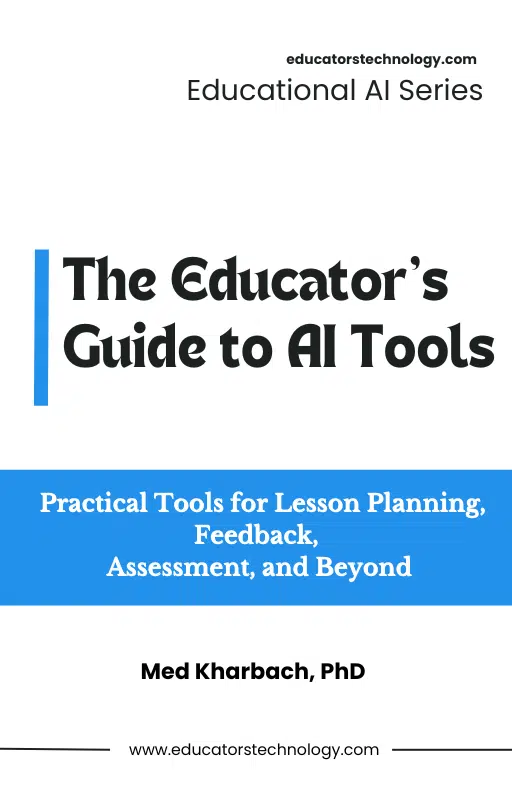
From time to time, I put together a curated collection of educational AI tools that I think will add real value to a teacher’s daily work. These selections are subjective. They reflect my own experience reviewing AI tools on this blog since 2011, and they are shaped by the conversations I have with teachers and educators in the workshops I run across very different contexts. The goal is a working set of tools that I have personally tested, written about, or seen teachers use successfully in real classrooms, not an exhaustive directory.
This particular guide brings together months of writing, reviewing, and revising posts on Educators Technology. I went back through everything I have published on AI tools recently, pulled the strongest recommendations from each post, and organized them by category so teachers can find what they need without scrolling through a year of archives. The categories cover lesson planning, subject-specific tools for science, math, ELA, ESL, history, art, and music, along with feedback tools, rubric and worksheet generators, and the best free AI courses for teachers who want structured training.
Before you open the guide and start exploring, I want to reiterate something I say in almost every workshop and almost every post on this blog. Work on your AI pedagogy first. Always.
What AI Pedagogy Actually Means
When I talk about AI pedagogy, I mean the simple discipline of building an intentional plan for how AI will fit into your teaching. The plan does not have to be long, and it does not have to be formal. It just has to be clear about a few questions you can answer for any tool before you bring it into a lesson.
Which platform am I using? Why this one over the alternatives? What specific learning goal will it help my students achieve? How does it strengthen the way I already teach this lesson, and where might it pull students away from the thinking I want them to do? These questions sound basic, and they are. If you cannot answer them quickly for any tool you are considering, the tool does not belong in your classroom yet. The reason is simple. The integration has no anchor.
The teachers who get the most out of AI in my workshops have something in common. They can tell you exactly why a tool is in their toolkit, what learning goal it serves, and how it fits the lesson they were already planning to teach. Everything else is hype management.
Reflective Memos: The Habit That Changes Everything
Here is the second piece of advice I want every teacher reading this to take seriously. After each time you use a new AI tool with students, write a short reflective memo. It can be three sentences, a paragraph, or a quick voice note you transcribe later. The format is up to you. The regular habit is what counts.
Some questions to guide your memo. Did the tool actually deliver what you hoped it would? How did your students respond, and was their engagement different from what you usually see? Did the AI output need a lot of editing, or was it usable as a draft? Were there moments where the tool helped students think deeply, and were there moments where it short-circuited the kind of struggle that produces real learning? What would you do differently next time you reach for the same tool?
These reflective memos are the closest thing to a metacognitive cheat code I know of for teachers working with AI. After a few weeks of writing them, you will start seeing patterns in your own practice that are otherwise invisible. You will notice which tools you reach for again and which ones you wrote off too quickly. You will catch the lessons where AI added something real and the lessons where it just gave you a polished version of work your students should have done themselves. You will build a personal evidence base that no online guide, including this one, can give you. And the next time a colleague asks you which AI tool is best for a particular task, you will have an answer that comes from your own classroom, not from a marketing page.
What This Guide Actually Contains
That said, you came here for tools, so let me tell you what is inside the guide.
The guide brings together AI tools across the categories I get the most questions about. The lesson planning section gathers the platforms I have found most reliable for first drafts. The subject-specific sections cover science, math, ELA, ESL and ELL, history and social studies, and art and music, with tools chosen for the kind of work each subject area actually requires. Teachers who want AI to take some of the grading and commenting load off their plate will find a section on feedback tools. Rubric generators get their own section, and so do worksheet generators, both built around tools teachers in my workshops keep recommending to each other. And for those who want structured training, I included the best free AI courses for teachers, because building real AI pedagogy takes serious learning, not casual tool-hopping.
Each category opens with a short framing in my voice that tells you what those tools do and how I usually recommend approaching them. Each tool gets a clean entry with what it is and how teachers can put it to work. The format is meant to be skimmable. You should be able to scan a page, identify two or three tools that match a real need in your classroom, and start there.
| ☞ Tips for Using This Guide 1. Treat it as a reference, not a one-time read. The teachers who get the most out of guides like this are the ones who come back to a category when a new unit, a new assessment, or a new student need shows up. Bookmark it and return when you have a real classroom problem to solve. 2. Pick narrow when you start. Do not try to learn five tools in a week. Pick one. Use it for two or three lessons. Write your reflective memo. Then decide whether to keep it, drop it, or move to a different one in the same category. 3. Verify everything the AI gives you. The output is a starting point and the judgment is still yours. Read what the tool produces, edit it for your students, and never push something live without giving it the same critical eye you would give a worksheet you found online. 4. Share what you learn with colleagues. The fastest way to get good at AI integration is to talk with other teachers about it. If you find a tool that works well for your subject, tell a colleague. If you try one that flops, tell them that too. Both kinds of intel are valuable. 5. Pair every tool with your reflective memo habit. The memos are where AI integration becomes real classroom learning, for you and for your students. The guide gives you the tools. The memos give you the wisdom to use them well over time. |
Final Words
I put this guide together because the questions I get from teachers about AI have not slowed down, and the tools keep arriving faster than most of us can track. My hope is that this collection gives you a curated starting point so you can shrink the time you spend hunting for platforms and protect the time you spend on the actual work of teaching with them well. If you have a tool you love that I did not include, send it my way. The next version of this guide will be stronger because of you.
You can grab the guide below and read through whichever category matches your biggest need this week. And if you want to keep up with new tools and classroom strategies as I publish them, the blog at www.educatorstechnology.com is where I share new posts every week.