
Microsoft has been embedding AI across its entire education ecosystem at a pace that is hard to keep up with. At BETT 2026 alone, the company announced 18 major updates spanning Copilot, Teams, Learning Accelerators, and even Minecraft Education. For the hundreds of millions of educators and students already using Microsoft 365, this means AI capabilities are showing up inside the tools they open every day, often without needing a new login or subscription.
In this guide, I walk through everything teachers need to know about Microsoft Copilot for Education in 2026: what it does across each Microsoft 365 app, how the new Teach feature works, what the Learning Accelerators offer, how pricing breaks down, and where the real limitations sit.
What Is Microsoft Copilot for Education?
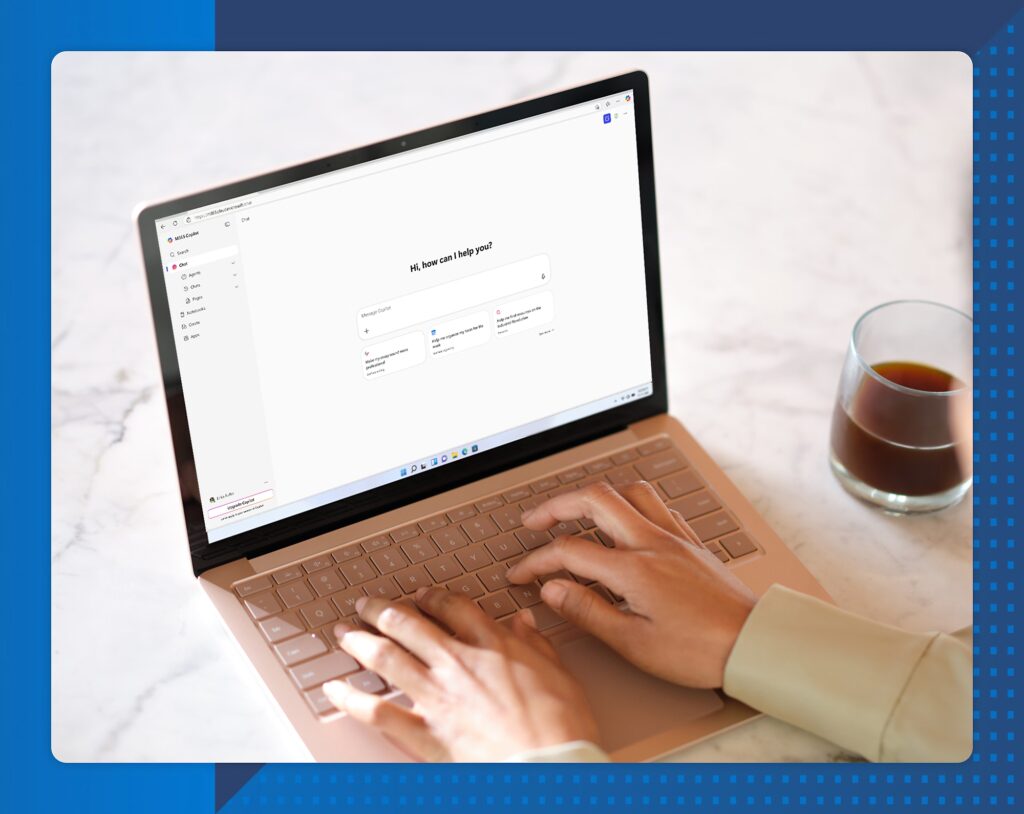
Microsoft Copilot for Education is an AI assistant integrated directly into Microsoft 365 Education. It works across Word, PowerPoint, Excel, Teams, Outlook, OneNote, Forms, and Whiteboard, providing teachers and students with AI-powered support for lesson planning, content creation, assessment, communication, and data analysis.
The education version differs from consumer Copilot in several important ways. It operates under FERPA and COPPA compliance frameworks, meaning student data receives specific protections. It includes education-specific features like the Teach module and Learning Accelerators that do not exist in the business or personal versions. And it integrates with school IT infrastructure through School Data Sync and Education Insights, giving administrators visibility into how AI is being used across their institution.
For schools already running Microsoft 365, Copilot does not require adopting a new platform. It lives inside the apps teachers already use, which significantly lowers the barrier to adoption compared to standalone AI tools.
The Teach Feature: Copilot’s Education Hub
The Teach feature, which launched in October 2025 and continues rolling out through early 2026, is the centerpiece of Copilot’s education strategy. It brings lesson planning, resource creation, differentiation, and assessment tools into a single unified interface inside the Microsoft 365 Copilot app.
Teachers input a topic and grade level, and Teach generates a complete standards-aligned lesson plan. The tool supports standards from 35+ countries, so it works for educators globally. From there, teachers can adjust the reading level, modify the tone or difficulty, add real-world examples, and differentiate materials for diverse learners, all through simple prompts within the same interface.
Assessment creation follows the same workflow. Teach drafts quizzes and rubrics based on learning objectives, which teachers can customize before distributing. The early deployment numbers are encouraging. Brisbane Catholic Education found that educators saved over 9 hours per week on admin and planning. At the University of South Carolina, 84% of users reported saving one to five hours weekly. Worth noting: both are Microsoft-highlighted success stories, so your mileage may vary.
A major update coming in Spring 2026 will embed Copilot directly inside learning management systems. This means teachers will be able to create content within their LMS courses rather than switching between platforms, a workflow improvement that should make a noticeable difference in daily planning routines.
Copilot Across Microsoft 365: Tool by Tool
Here is how Copilot works inside each Microsoft 365 app and what teachers can do with it:
Word
Copilot in Word helps teachers draft lesson materials, handouts, worksheets, and class documents. You can start with a prompt like “Create a 5th grade science worksheet on the water cycle” and Copilot generates a complete draft. The new agent mode, rolling out in early 2026, allows creation of entire documents from a single prompt, pulling in relevant content from your OneDrive files and previous materials.
PowerPoint
Teachers can generate slide presentations from text prompts, outlines, or existing documents. A new interactive voice experience lets you create slides through spoken instructions. The view-only mode is particularly useful for students: they can ask Copilot questions about presentations they can only read, request summaries of specific slides, or get clarification on content without needing edit permissions.
Excel
Copilot in Excel helps teachers analyze student data, build grade books, and generate performance reports. The agent mode (available since late 2025 on web, January 2026 on desktop) handles more complex data tasks like creating visualizations from student assessment data, identifying trends across grading periods, and formatting reports for parent conferences.
Teams
For schools using Microsoft Teams for class management, Copilot provides meeting summaries and transcription for virtual classes and parent-teacher conferences. It integrates with Education Insights to surface AI-powered student support cards that identify students who may need attention, with specific talking points based on changes in student activity.
Outlook
Copilot in Outlook drafts and manages email communications, which is particularly valuable for parent correspondence. A new interactive voice experience on mobile lets teachers summarize unread emails and take action hands-free, useful for busy mornings before class.
OneNote
Teachers using OneNote for class notebooks can use Copilot to organize notes, summarize student submissions, and retrieve information from across their notebooks quickly.
Forms and Whiteboard
Copilot assists with quiz and assessment creation in Forms, generating questions from learning objectives or existing content. In Whiteboard, it supports collaborative visual activities and AI-assisted brainstorming during class sessions.
Learning Accelerators: AI for Student Skills
Beyond Copilot, Microsoft offers a set of Learning Accelerators that use AI to support specific student skills. These tools connect directly to Education Insights, so teachers get a unified view of student progress:
- Reading Coach provides personalized, AI-powered reading fluency practice. Students choose a character, setting, and reading level, and the AI generates interactive stories where they follow their own path by choosing what happens in each chapter. As students read aloud, the tool provides real-time feedback on fluency. They earn achievements and unlock new story elements, turning reading practice into an engaging experience.
- Reading Progress tracks students’ reading skills over time and provides actionable insights. AI features personalize the learning path and identify specific areas where individual students need to focus, while teachers maintain full control over instructional decisions.
- Search Coach helps students develop research and information literacy skills with AI-guided search practice. In an era where AI itself creates new challenges for evaluating information quality, teaching students how to search effectively has become even more important.
- Speaker Coach (also called Speaker Progress) gives real-time feedback on presentation skills, evaluating pace, pitch, filler words, and body language. It works in both Teams and PowerPoint, providing personalized tips as students practice presentations.
Education Insights and Student Wellbeing
Microsoft Education Insights connects data from Learning Accelerators, Teams activity, and other tools to give teachers and administrators a holistic view of student engagement and progress. AI-powered student support spotlight cards automatically identify students who may need additional support and provide specific talking points based on changes in their activity patterns.
Microsoft Reflect adds a social-emotional learning layer. Students share how they are feeling, and the tool tracks emotional wellbeing trends at the individual, class, grade, school, and organization levels. A new Microsoft Graph API for Reflect enables districts to centralize SEL data for strategy development and targeted professional development.
For administrators, School Data Sync connects Student Information System data to provision Microsoft 365 accounts and enable richer reporting. Azure Data Export allows exporting data from SDS and Education Insights to Azure or third-party data stores for deeper analysis.
Microsoft Elevate for Educators
Launched in January 2026, Microsoft Elevate for Educators is a comprehensive professional development program that combines community, training, and credentialing for educators learning to use AI effectively.

The program includes year-round communities with expanded training opportunities, a progressive achievement system where educators advance as they build skills, and a suite of self-paced courses alongside live sessions and AI-powered simulations. All content is available globally in 13+ languages through the AI Skills Navigator.
Starting May 2026, a free Microsoft Elevate for Educators credential will be available, developed in partnership with ISTE and ASCD and aligned to the AI Literacy Framework. This credential helps teachers demonstrate competence in integrating AI into instruction and can support professional growth and career advancement.
Microsoft also co-funded the National Academy for AI Instruction alongside OpenAI and Anthropic, a $23 million initiative that launched in fall 2025 in New York City. The academy trains teachers on using AI tools for lesson planning, assessment creation, and parent communication, with workshops and ongoing support for responsible integration.
Minecraft Education and AI Literacy
Microsoft is using Minecraft Education as a vehicle for teaching AI concepts in age-appropriate ways. The AI Foundations curriculum, aligned with UNESCO, OECD, and TeachAI frameworks, includes classroom-ready worlds like Fantastic Fairgrounds, CyberSafe AI: Dig Deeper, and Reed Smart: AI Detective.
Students explore ethical dilemmas, data use, and AI decision-making through gameplay. The Code Builder feature lets students teach AI agents using MakeCode (block-based coding), Python, or JavaScript to recognize patterns, classify resources, and coordinate tasks, mirroring how real AI systems work.
New for 2026, teachers can use Copilot to create Minecraft Education lesson plans (preview February 2026) and unit plans (Spring 2026), and an Hour of AI partnership with Code.org turns AI learning into interactive gameplay experiences. For K-8 classrooms especially, this approach makes abstract AI concepts concrete and accessible.
Pricing and Licensing
Microsoft 365 Education uses a tiered pricing structure:
A1 (Free): Includes core Microsoft 365 apps plus Copilot Chat at no additional cost. Teachers get access to the Teach module and Learning Accelerators. This free tier covers the essential AI features most teachers need for lesson planning, content creation, and student skill building.
A3 (Paid): Everything in A1 plus desktop app licenses, advanced security features, and additional management tools. Copilot Chat included at no cost; full Copilot for Microsoft 365 available as a paid add-on.
A5 (Premium): All A3 features plus enhanced analytics, reporting, and security. Full Copilot capabilities included.
Copilot for Microsoft 365 Add-on: For schools wanting full in-app Copilot across Word, Excel, PowerPoint, Outlook, and Teams (beyond the free Copilot Chat), the add-on costs $18/user/month as of December 2025 (reduced from $21/month). This is a significant investment for districts, but the per-educator time savings data (9+ hours/week at Brisbane Catholic Education) suggests strong ROI for schools that commit.
Price increases across Microsoft 365 are planned starting July 2026, so institutions considering adoption may benefit from locking in current rates.
Privacy and Data Safety
Microsoft positions itself as a “school official” with “legitimate educational interests” under FERPA, meaning it abides by the limitations and requirements of federal student privacy law. The company states it does not scan institution emails or documents for advertising purposes, and Office 365 customer data is used only to provide the service, not for commercial purposes.
For COPPA compliance, the FTC has stated that operators like Microsoft are not required to obtain consent directly from parents when schools authorize the use of educational tools. However, schools remain responsible for informing parents about data collection practices. Schools should note that updated COPPA rules taking full effect by April 22, 2026 impose stricter consent verification and require explicit parental consent before sharing data with third parties.
Schools considering deployment should ensure they have proper data processing agreements in place with Microsoft that include FERPA privacy requirements, minimum data security requirements, and contractual reassurances for handling sensitive student data.
Limitations Teachers Should Know
Pedagogical concerns are real. Early educator reactions to the Teach feature have been mixed. Some teachers note that generated lesson plans tend to be descriptive and expository, positioning students as passive learners rather than active participants. The tool excels at creating content quickly but does not always promote the kind of inquiry-driven, student-centered instruction that experienced educators prioritize.
Customization after generation is limited. While you can adjust reading level and difficulty, the options for restructuring a lesson plan’s pedagogical approach after generation are more constrained than working with a general-purpose AI chatbot where you can iterate through conversation.
Security requires careful configuration. Misconfigured permissions could surface files or emails that certain users should not see. IT administrators need to set up permissions properly before rolling out Copilot, and teachers should be cautious with broad prompts that might pull sensitive student data.
AI accuracy needs verification. Copilot displays a “Check for mistakes” warning for good reason. Generated content, particularly in math and fact-based subjects, can contain errors. Teachers should review all AI-generated materials before distributing to students.
Bias exists in outputs. Early versions showed limitations with biased image generation and responses on sensitive topics like race and economic class. While Microsoft continues to address these issues, teachers should critically evaluate AI outputs, especially when working with diverse student populations.
Cost adds up at scale. The free A1 tier covers basic AI features, but the full Copilot for Microsoft 365 experience at $18/user/month represents a meaningful budget line item for districts. Schools need to evaluate which educators truly need full in-app Copilot versus the free Copilot Chat.
How Copilot Compares to Google Gemini
For schools choosing between ecosystems, the decision largely comes down to which platform you already use. Copilot integrates more deeply with structured productivity tools (Word, Excel, PowerPoint), making it stronger for document-heavy workflows like creating formatted lesson plans, building grade books, and drafting professional communications. Gemini integrates more naturally with Google Classroom and Workspace, offers a larger context window for research tasks, and provides free AI access to all education users through Education Fundamentals.
Both platforms offer FERPA-compliant environments with education-specific features. Microsoft’s advantage is the breadth of its ecosystem (Teams, OneNote, Education Insights, Minecraft Education, Learning Accelerators). Google’s advantage is the simplicity of its ecosystem and the fact that Gemini’s core education features require no paid add-on.
This guide is also available in PDF format!
For a deeper look at Google’s offering, check out my guide to Google Gemini for Education.