Google has been quietly building one of the most ambitious AI-for-education strategies in the industry. With over 170 million students and educators already using Google Workspace worldwide, the company is in a unique position to put AI tools directly into the hands of teachers without asking them to learn a new platform or pay for a new subscription.
Google Gemini for Education is now embedded across the full Workspace suite, powered by a learning-science model called LearnLM, and available to every qualifying institution at no additional cost through Google Workspace for Education Fundamentals. In this post, I walk you through what Gemini for Education actually offers, how it works across Google’s tools, and what teachers should keep in mind as they start using it.
What Is Google Gemini for Education?
Gemini for Education is Google’s AI assistant built specifically for schools and universities. Unlike the consumer version of Gemini, the education version operates under enterprise-grade data protections: student data is never used for model training, no human employees review student queries, and all interactions stay within the organization’s data boundaries.
The key difference from standalone AI tools like ChatGPT or Claude is that Gemini lives inside the tools teachers already use. It shows up as a side panel in Google Classroom, Docs, Slides, Sheets, Gmail, and Meet. When connected to Classroom, Gemini draws on your actual class context (students, assignments, materials) rather than working from generic prompts.
LearnLM: The Learning Science Behind Gemini
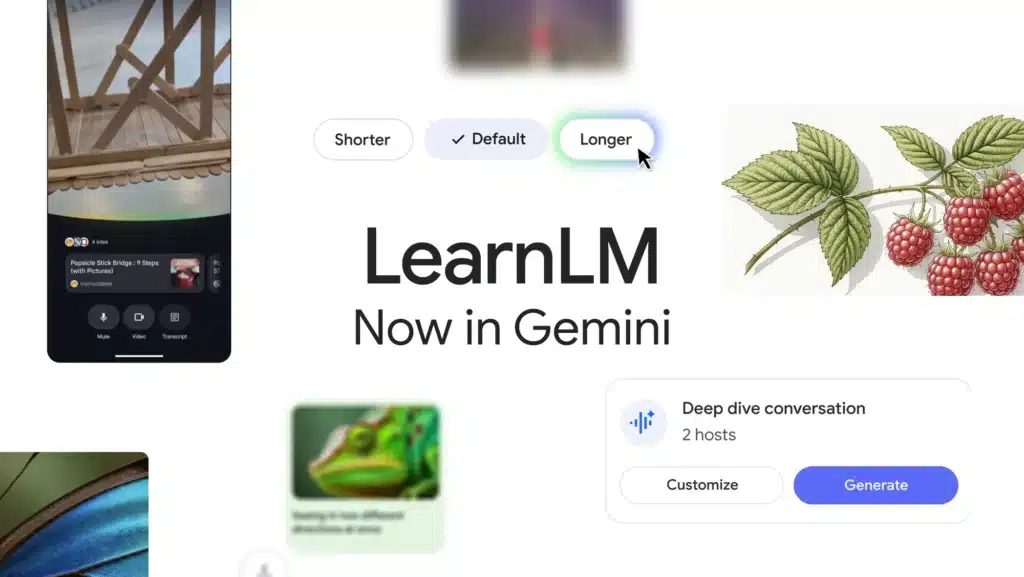
What gives Gemini for Education its educational edge is LearnLM, a family of AI models fine-tuned specifically for learning and grounded in educational research. At Google I/O 2025, Google announced that LearnLM had been infused directly into Gemini 2.5 Pro.
LearnLM is designed around five learning science principles: active learning with practice and feedback, cognitive load management that delivers content in digestible steps, personalization that adapts to individual learners, curiosity stimulation that encourages deeper exploration, and metacognition that helps students think about their own learning process.
The results so far are promising. According to Google, students who received tutoring from LearnLM were 5.5 percentage points more likely to solve novel problems on subsequent topics compared to students working with human tutors alone. On learning science evaluations, Gemini 2.5 Pro outperformed all competitors across every learning category.
Gemini Across Google Workspace: Tool by Tool
Here is how Gemini shows up in each Google Workspace tool and what teachers can do with it:
Gemini in Google Classroom
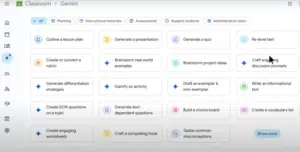
This is where the deepest integration lives. Teachers can use Gemini to generate lesson plans, quizzes, rubrics, vocabulary lists, reading comprehension questions, and differentiated assignments, all tailored to actual class context. Recent BETT 2026 updates added Audio Lessons, which generate podcast-style lessons customizable by grade level, topic, learning objectives, and conversation style. Gemini also creates interactive study guides from teacher-uploaded materials and summarizes student progress automatically.
Students get their own Gemini-powered features too: free SAT prep through full-length Princeton Review practice tests, audio overviews for studying lectures and textbooks, and the ability to create study guides from class materials.
Gemini in Google Docs, Slides, and Sheets
In Docs, Gemini helps with drafting, summarizing, and rewriting content. It can pull information from your Google Drive files and Gmail using @ mentions, making it easy to reference existing materials. In Slides, Gemini generates new slides from text prompts and can reference Drive files to create visual presentations. In Sheets, it assists with formula generation, data analysis, and content summarization.
Related: NotebookLM- A Powerful AI Research Assistant
Gemini in Google Meet
Gemini now takes meeting notes automatically and emails them with action items after the meeting. The Ask Gemini feature lets you query meeting content in real time. Near-real-time speech translation supports multiple languages including French, German, Italian, Japanese, Korean, Portuguese, and Spanish, which is particularly useful for multilingual school communities.
Gemini in Gmail and Forms
In Gmail, teachers can draft responses, summarize email threads, and compose messages that reference class materials. Gemini in Google Forms is available to users 18 and older on Education Plus and Teaching & Learning tiers.
Google Gems: Build Your Own AI Teaching Assistant
One of the most powerful features for teachers is Gems. These are custom versions of Gemini that you create once and reuse throughout the year. Think of a Gem as a specialized AI assistant trained on your specific instructions, tone preferences, and reference materials.
Google provides starter templates like Study Partner, Quiz Me, Brainstorm Partner, and Real-World Connector, but you can create your own from scratch. Once built, a Gem can be assigned directly in Google Classroom. Students access it from their Classwork page and can interact with it throughout the course.
Because LearnLM powers Gems under the hood, they lean into pedagogical best practices, guiding students toward understanding rather than just handing over answers. For teachers who want the customization of building their own AI tools without the complexity of prompt engineering, Gems offer a practical middle ground.
Pricing: What’s Free and What’s Not
Here is how Gemini for Education fits into Google’s pricing structure:
Education Fundamentals (FREE): Core Workspace tools plus Gemini for Education at no cost. This includes Gemini in the Gemini app, Classroom integration, and enterprise-grade data protections. Available to all qualifying educational institutions.
Education Standard (~$3/student/year): Everything in Fundamentals plus advanced security dashboards, monitoring, and proactive security controls.
Teaching & Learning Add-on (per-seat licensing): Adds breakout rooms, live streaming, attendance tracking, polling, unlimited originality reports, and more interactive tools. Flexible licensing so schools can buy as many or few seats as needed.
Education Plus (premium tier): All features including Gemini in Docs, Slides, Forms, and Vids at no additional cost for users 18 and older. Full admin controls and analytics. Starting February 2026, these capabilities roll out automatically.
For individual students, Google also offers a free year of Google AI Pro (equivalent to Gemini Advanced) for college students who verify through SheerID before April 30, 2026, available in 120+ countries.
Privacy and Data Safety
This is the area where Google’s approach to educational AI stands out from consumer tools. Gemini for Education operates as a “school official” under FERPA, meaning student data is contractually protected and never used for model training or human review. The platform is FERPA and COPPA compliant, with parental controls available through Google Family Link for children under 13.
Schools should be aware of a few nuances. While Google promises not to train on education data, the company retains rights to analyze usage patterns for “service improvement.” The default chat history retention is 18 months, which some FERPA experts flag as a potential concern. Districts should review these policies against their own data governance standards.
New COPPA rules taking full effect by April 22, 2026 impose stricter consent verification and require explicit parental consent before sharing data with third parties, so school administrators should ensure compliance planning is underway.
Limitations to Watch For
Gemini for Education is powerful, but it has real limitations teachers should understand:
Accuracy without citations is the biggest concern. Gemini does not cite sources, which makes outputs risky for research tasks and academic integrity discussions. Teachers should always verify AI-generated content before sharing with students, especially in fact-based subjects like history and science.
Math errors happen. Several math educators report that Gemini occasionally makes calculation errors. Always double-check mathematical content.
Age-appropriate access is a moving target. Google extended Gemini access to students under 13, which was a significant policy shift. While age-sensitive filters exist, responsibility for evaluating appropriate use falls largely on educators and administrators who may need additional training.
Vendor lock-in deepens with adoption. The tighter Gemini integrates with Classroom and Drive, the harder it becomes to switch ecosystems. District technology leaders should factor this into long-term planning.
Supervision tools are limited. The current setup offers a binary choice between teacher-controlled and student-accessible AI, without the granular controls many experienced educators prefer.
How Gemini Compares to ChatGPT and Claude
Each major AI platform brings different strengths to education:
Google Gemini leads in multimodal learning (analyzing videos, images, audio, and handwritten notes) and native integration with the Google ecosystem. It is free for all education users, which is a massive advantage for budget-constrained schools.
ChatGPT remains the strongest all-around tool for structured homework help, math problem solving, and coding explanations. It holds about 68% market share, though that number has dropped significantly as competitors grow.
Claude excels at long-document analysis, essay feedback, and step-by-step pedagogical explanations. It produces the fewest hallucinations among the three and is particularly strong for writing improvement.
For schools already running Google Workspace, Gemini requires zero additional investment or system integration. That alone makes it the obvious starting point.
Final Thoughts
Google Gemini for Education represents a fundamentally different approach to AI in the classroom. Rather than asking teachers to adopt yet another platform, Google embedded AI directly into the tools 170 million educators and students already use daily. The combination of free access through Education Fundamentals, LearnLM’s learning science foundation, customizable Gems, and enterprise-grade privacy protections makes it one of the most accessible and practical AI solutions available to schools in 2026.
The limitations are real, particularly around citation, accuracy, and age-appropriate access. But for teachers looking to reduce planning time, differentiate instruction, and bring AI into their workflow without adding complexity, Gemini for Education is hard to beat.
For a broader look at how Gemini stacks up alongside other platforms, check out my guide to the best AI tools for teachers in 2026. And if you want a focused walkthrough of Gemini inside Google Classroom specifically, see my earlier guide on how to use Gemini in Google Classroom.