Sometimes I look at the AI tools available to today’s PhD students and feel a bit envious. They have technologies that can simplify every step of the research journey, from taking notes to drafting entire chapters. But then I remember the focus and deep cognitive work we had to put in, working without the constant digital distractions. There’s something to be said for those intense, AI-free environments.
Don’t mind my mixed feelings, I’ve been deeply immersed in this field for years, so I can’t help but feel a bit nostalgic about the old ways. But given the rapid development of generative AI, it would be a mistake not to take full advantage of these tools. They can save you hours, reduce your stress, and help you produce better work.
Here are some of the best ones I recommend.
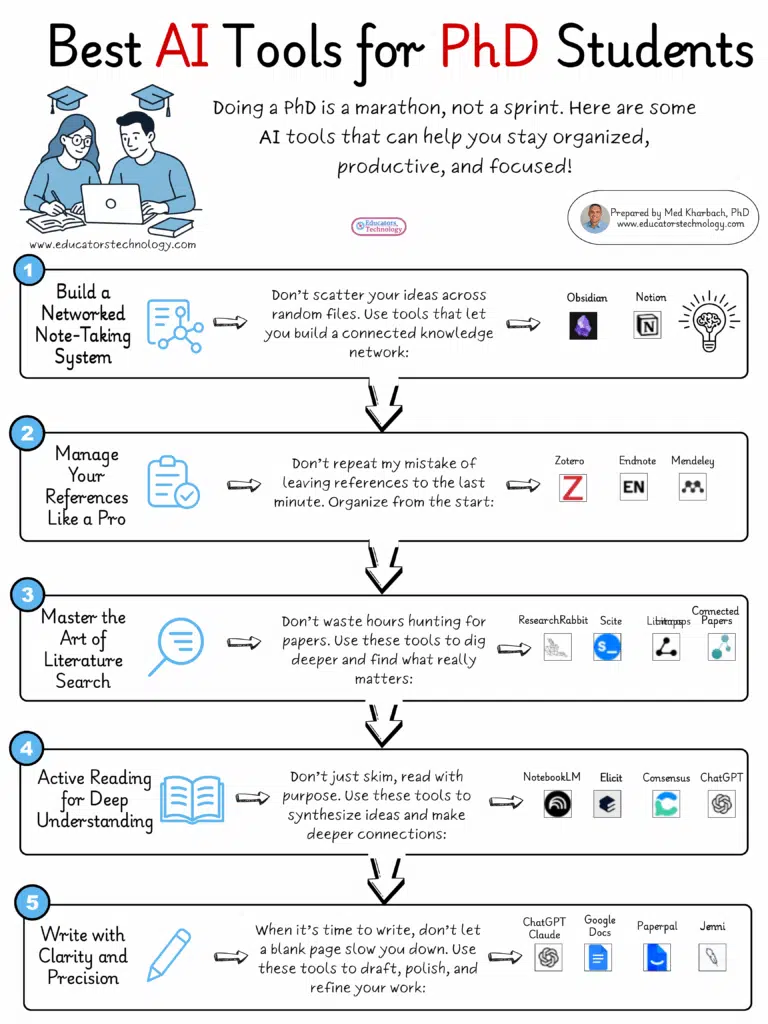
1. Build a Networked Note-Taking System
As Ahrens (2017) aptly puts it, “every intellectual endeavour starts with a note” (p. 1).
As a PhD student, you need a powerful note-taking system that goes beyond just storing information. It should help you connect ideas, track insights, and build a personal knowledge network. While tools like OneNote, Google Keep, and Evernote are great for basic note-taking, if you’re serious about building a networked note-taking system, two tools stand out:
Recommended Tools:
- Obsidian – Markdown-based, local-first, with backlinking, graph view for visualizing connections, and robust plugins for customization.
- Notion – All-in-one workspace with flexible databases, linked pages, embedded media, and powerful organization features.
2. Reference Management
Choosing a reliable reference management tool early on is crucial—it will save you countless hours in the long run. Trust me, I’ve been there. The right platform will not only help you organize your sources but also streamline citation, collaboration, and literature reviews. My top recommendations are Zotero, Paperpile, and Mendeley. These tools offer seamless integration with word processors, automatic citation generation, and powerful search features, making your academic writing more efficient and organized.
3. Searching the Literature
As a PhD student, a significant part of your journey will involve extensive literature searches. This process helps you familiarize yourself with your research area, identify gaps in the literature, and refine your research questions. Fortunately, several AI-powered tools can make this task less daunting. My top picks include:
- ChatGPT (Deep Research), Claude, Gemini, and Perplexity – AI chatbots that can quickly surface relevant papers, generate summaries, and provide context.
- Scite – An innovative tool that not only finds relevant papers but also shows how they have been cited, offering insights into their impact and context within the academic conversation.
- R Discovery – A personalized research assistant that curates recent papers based on your interests.
- Connected Papers – Ideal for visualizing the connections between related papers and exploring the broader research landscape.
- ResearchRabbit – A powerful tool for finding related papers, tracking influential works, and discovering co-cited papers.
- Litmaps – Great for keeping up with the latest papers in your field, tracking citation networks, and identifying emerging trends.
4. Reading the Literature
Doing a PhD often feels like a ‘marathon of reading,’ as Inger Mewburn (2020) puts it. But it’s not just about reading a lot; it’s about active reading—critically engaging with the material, connecting ideas, and extracting insights. Here are some AI tools that can make this process more efficient:
- ChatGPT / Claude – Both can generate summaries, answer questions based on text inputs, and even help you connect ideas from different sources.
- NotebookLM – Ideal for synthesizing your notes and making connections between different readings.
- Elicit – Helps you quickly find answers from research papers without diving into each one individually, making it great for systematic reviews.
- Consensus – Uses AI to provide evidence-based summaries, helping you quickly grasp the consensus on a topic.
5. Writing
As Stephen King (2000) famously said, “If you want to be a writer, you must do two things above all others: read a lot and write a lot” (p. 145). Academic writing is no different. This phase involves synthesizing your notes, articulating your findings, and crafting well-structured arguments. Fortunately, a range of AI tools can help you refine your writing, polish your drafts, and manage your manuscripts:
- Google Docs / Microsoft Word – Still the gold standards for drafting, formatting, and collaboration, with powerful plugins for referencing and formatting.
- ChatGPT and Claude – Ideal for generating first drafts, refining sections, or even brainstorming titles and abstracts.
- Jenni – An AI writing assistant that helps you overcome writer’s block and maintain flow in your writing.
- PaperPal – Excellent for grammar checks, clarity improvements, and technical language suggestions.
Final thoughts
To wrap things up, I think it’s fair to say that today’s PhD students have access to tools we could’ve only dreamed of. But the real edge doesn’t come from the tools themselves, it comes from knowing how to use them wisely. You still need to think critically, read deeply, and write with intention. AI can help, no doubt about that. But it’s your judgment, curiosity, and persistence that will carry you through. Use these tools to support your work, not to replace the thinking that makes it yours.