Back when I was in the classroom, I used avatars regularly in my language teaching. One of my favorite activities was to have students work in groups to create character diaries or role-plays using avatars.
It wasn’t just fun, it helped build fluency, confidence, and collaboration!
The pedagogical value of avatars is well documented (e.g., Fink, Robinson, & Ertl, 2024). They’re not toys or gimmicks. Used thoughtfully, they can support real learning, differentiation, motivation, scaffolding, and more.
Now, with AI tools evolving fast, avatars are more advanced, more accessible, and easier to personalize. They can speak, respond, and adapt to learner needs in ways we couldn’t dream of a few years ago.
In this post, I’ve pulled together key ideas covering various aspects of using avatars in teaching.
Key Benefits
In this section, I walk you through six practical benefits that show how AI avatars can support differentiation, boost engagement, and promote student independence, based on insights from Fink, Robinson, and Ertl (2024)
- Differentiate Instantly
Avatars adjust content to each student’s level, no extra prep needed. - Make It Real
Use avatars for role-plays and real-world scenarios that connect learning to life. - Engage Through Immersion
Bring lessons into virtual spaces that grab attention and hold it. - Provide On-the-Spot Help
Let avatars give feedback, hints, or guidance while you focus on instruction. - Promote Independence
Avatars prompt goal-setting, reflection, and self-monitoring. - Spark Interest
With voices and personalities, avatars make even dry topics more engaging.
Do’s and Don’ts
Before jumping in, it’s important to use avatars responsibly. This section offers clear guidance on how to make sure avatar use stays respectful, inclusive, and aligned with sound pedagogy.
- Keep avatars age-appropriate and culturally respectful
- Use avatars to complement, not replace, real teaching presence
- Let students create their own avatars for identity expression
- Provide guidance on tone, language, and content in avatar-based work
- Test tools in advance to check accessibility and ease of use
- Monitor interactions to ensure avatars support, not distract from, learning
Classroom Applications
Wondering how to actually use avatars with your students? This part outlines a range of ideas you can try whether you’re focusing on storytelling, social-emotional learning, or language development.
- Digital storytelling and character diaries
- Language practice and speaking activities
- Historical reenactments and simulations
- Flipped classroom intros and explainer videos
- Social-emotional learning reflections
Challenges
While avatars can add real value to your teaching, they also come with limitations. In this section, I point out the main challenges to keep in mind so you can plan around them effectively.
- Privacy concerns and data usage in AI tools
- Making sure avatars are not reinforcing stereotypes
- Risk of over-reliance or distraction
- Tech accessibility for all students
- Maintaining teacher oversight, especially with younger learners

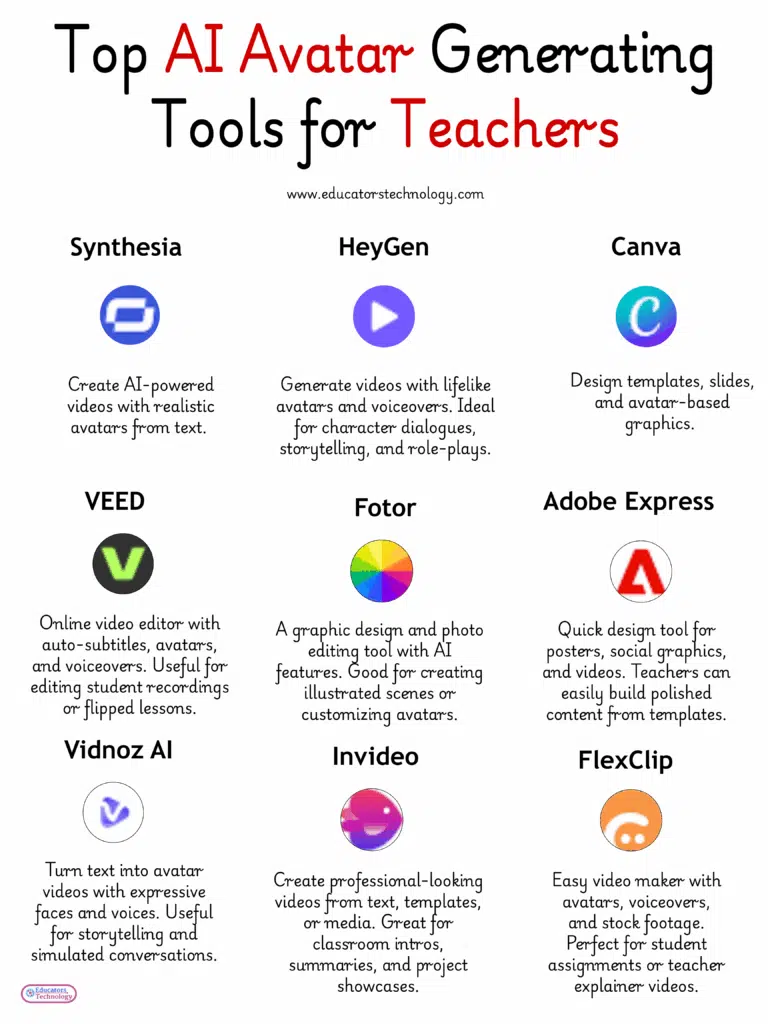
AI Tools for Generating Avatars
There are now many user-friendly tools available that make creating and working with avatars surprisingly easy. Here, I highlight a few of the best platforms to help you get started.
- Synthesia: Create AI-powered videos with realistic avatars from text. Great for explainer videos, tutorials, or student presentations.
- HeyGen: Generate videos with lifelike avatars and voiceovers. Ideal for character dialogues, storytelling, and role-plays.
- Canva: Design templates, slides, and avatar-based graphics. Perfect for classroom visuals, student projects, and quick presentations.
- VEED: Online video editor with auto-subtitles, avatars, and voiceovers. Useful for editing student recordings or flipped lessons.
- Fotor: A graphic design and photo editing tool with AI features. Good for creating illustrated scenes or customizing avatars.
- Adobe Express: Quick design tool for posters, social graphics, and videos. Teachers can easily build polished content from templates.
- Vidnoz AI: Turn text into avatar videos with expressive faces and voices. Useful for storytelling and simulated conversations.
- Invideo: Create professional-looking videos from text, templates, or media. Great for classroom intros, summaries, and project showcases.
- FlexClip: Easy video maker with avatars, voiceovers, and stock footage. Perfect for student assignments or teacher explainer videos.
Final thoughts
AI avatars are here and they’re already reshaping the way we think about teaching and learning. When used thoughtfully, they can help you differentiate instruction, support student voice, and bring a fresh sense of presence into digital spaces. But like any tool, their impact depends on how we integrate them into our practice. My advice? Start small. Experiment. Reflect. Keep what works. Discard what doesn’t. And above all, stay grounded in your teaching values.
References
Fink, M. C., Robinson, S. A., & Ertl, B. (2024). AI-based avatars are changing the way we learn and teach: Benefits and challenges. Frontiers in Education, 9, 1416307.