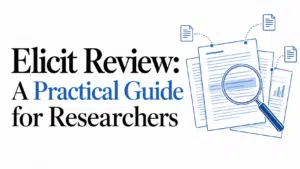
Elicit is an AI research assistant for finding papers and working with evidence across studies. It can support a literature review, but useful results depend on a clear research question, explicit extraction fields, and checking answers against the papers themselves.
This guide gives you a practical search-and-extraction workflow to adapt. The example question is a suggested starting point, not a report of a completed search or a finding about teaching effectiveness.
What can Elicit help researchers do?
Elicit provides paper search, research reports, a library, and tools for working across sources. Access to particular research, extraction, and export features depends on the plan. Use it to organize part of your evidence workflow rather than treating its output as a finished literature review.
1. Define a question before searching
Start with the population, educational setting, intervention or practice, and outcome. For example: “How does retrieval practice affect delayed retention in secondary science?” Decide whether you want classroom experiments, qualitative accounts, reviews, or a broader exploratory sample.
Write down your inclusion criteria before reading the results. A study of university medical students might be useful background, but it should not silently become evidence about secondary-school classrooms.
2. Find papers and check relevance
Enter your question in Elicit’s paper-search workflow. Review the returned titles and abstracts, then inspect the publication details and full text where available. Try alternative terminology and record the search date and query.
- Does the paper address the population and learning outcome you specified?
- Is it an original study, review, commentary, or preprint?
- Can you access enough of the paper to judge its methods?
- Do the findings support the summary, including any qualifications?
Keep a list of papers included and excluded, with a brief reason. Supplement AI discovery with the scholarly databases appropriate to your field; a short list of relevant-looking results is not proof of complete coverage.
3. Build an extraction table you can verify
Once you have relevant papers, decide exactly what you want to extract. Use the available table or review workflow in your account, or maintain the same fields in your own document. The structure matters more than the number of columns.
- Participants: Who was studied, where, and how many were analyzed?
- Design: How was the study conducted?
- Comparison: What was the intervention compared with?
- Outcome: What was measured and when?
- Finding: What result answers your research question?
- Limitations: What constraints affect interpretation?
- Evidence location: Which page, section, or table supports the entry?
A reusable extraction instruction
“For each paper, identify the participant group, study design, comparison condition, outcome measure, and timing. Include the passage or location supporting each answer. If the paper does not report a detail, write ‘not reported.’ Do not infer missing sample sizes or combine different measures into one result.”
4. Check text, tables, and missing information
Read the supporting passages yourself. Pay particular attention to numbers in tables, subgroup results, and whether an outcome was measured immediately or after a delay. Elicit’s table and figure guidance explains that extraction can miss information in complex tables and that figure handling depends on the plan.
Keep a verification column with three possible entries: checked against source; needs correction; or insufficient information. Missing information is a useful result. Filling gaps with plausible guesses makes the table less trustworthy.
5. Export and keep a research record
Save the query, dates, inclusion decisions, and corrected extraction table. Elicit’s export instructions describe table and reference formats and their plan requirements. Check an exported file before using it in a reference manager, and verify citation metadata against the publication.
Is Elicit free?
Elicit has a free Basic plan and paid options. The current pricing page distinguishes exploratory access from greater research usage and additional extraction or export capabilities. Check the features you need before starting a large batch; older limits quoted in tutorials may no longer apply.
Watch the earlier Elicit walkthrough
The video below is my earlier walkthrough. It illustrates the general research process, but interface labels, features, and plan limits may differ from the current version.
Use Elicit to support your analysis
A strong review explains why findings differ and what the evidence can support. Use the organized material to compare settings, methods, and limitations, then write your own synthesis. Do not equate an AI-generated summary with a quality appraisal or a completed systematic review.
Related guides and further reading
Explore more in AI in Education.