These five Google Arts & Culture games introduce artworks, historical dates, and cultural collections through puzzles and creative activities. Choose a game for a specific lesson goal, then use its background information to move beyond guessing or collecting points.
Cultural Games
Here is a list of the best games about culture from Google Arts & Culture:
1- What Came First
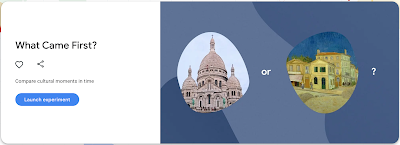
An interactive game where students pick which comes first. The faster students answer, the more points they get. Students are provided with two visual prompts and are asked to click on the one that is chronologically older.
These visual prompts come in different forms including: pictures of artists, architectural symbols, museums, inventors, and many more. Once students choose an answer they can then scroll down to read more on the visual prompts.
2- Cultural Crosswords
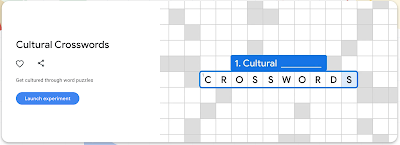
A game which helps students develop their cultural literacy through word puzzles. Crosswords explore themes from Google’s cultural collections. Preview the available puzzles and select one that matches the topic and vocabulary your students are studying.
Once they select the crossword they want to play they can click on Clues to start filling up the crossword. When students click on a clue they can view detailed information about it on Google Arts & Culture.
3- Puzzle Party
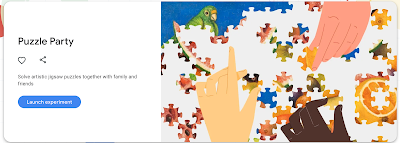
Students work in pairs or individually to solve artistic jigsaw puzzles. There are hundreds of artworks students can play. The process is simple and easy: First students select the artwork they want to play.
They can click on ‘Learn More’ to access more information about the artwork in Google Arts & Culture. Next, they choose whether they want to play the jigsaw game solo or with others. For the latter option, a unique code is generated to share with others.
4- Visual Crosswords
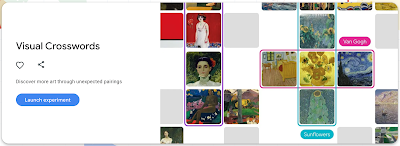
This game enables students to learn more about arts and culture through unexpected pairings. For instance, to learn more about Art Movements, students are provided with two columns and are asked to drag artworks to boxes anywhere they match the labels. If they are not familiar with a particular artwork they can click on Learn More to read about it on Google Arts and Culture.
5- Art Coloring Book
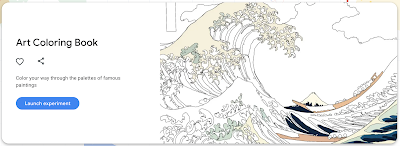
A game that lets students color their way ‘through the palettes of famous paintings’. To start playing it, they need to choose an artwork then use the provided tools to colour and customize it the way they want.
Once completed, they can download their artwork or share it with others on social media or through a generated link. There is also the option to print out coloring books so students can work on them offline.

Turn a game into a short lesson
- Set a focus question, such as “What can we learn about this artwork from its details?”
- Give pairs a short playing period and ask them to record one surprising discovery.
- Open the collection information to check the artist, date, or context.
- Finish with an explanation supported by one detail from the source.
A puzzle is a starting point for inquiry, not a complete account of a culture. Preview artworks and reading demands, and test the game on school devices before teaching.
Explore our edtech tools and learning resources for kids for more interactive activities.